10.5 Output Socket Selection
A pair of phono output sockets are fitted at the rear of the CD5x
to provide an alternative to the preferred DIN socket. Proceed as
follows to select the phono sockets.
With the player stopped, press and hold the remote handset
function will
now cycle through each combination of the two socket types
(DIN only, phono only or both). The selected option is indicated
on the CD player display as shown below.
function a second time to exit from
socket selection mode.
10.6 Power Supply Upgrade
The CD5x can be upgraded through the addition of an external
Flatcap 2 or Hi-Cap Power Supply. The external supply works with
the internal power supply of the CD5x to offer both a greater
number of separate supplies and more sophisticated voltage
regulation. The Power Supply is connected to the CD5x via a five
pin DIN cable. Switch off both the Power Supply and CD5x when
making connections. Remove the link plug and connect the
supply cable ensuring that the connectors are securely attached.
Switch on both the CD5x and the Power Supply from their
respective power buttons.
10.7 Player Maintenance
It is important for reliable operation of the CD5x to ensure that
the surfaces of the transport platter and the underside of the
puck are free of dust or debris which can prevent the disc from
sitting properly and cause it to slip.
To clean the transport platter, take a piece of Blu-tack and
lightly apply it to the top surface of the metal hub, picking up
any material attached to it. Brush the plastic outer edge lightly
with your finger or a soft brush to ensure that it is dust and
particle free. Similarly, clean the puck with Blu-tack, to remove
debris.
Do not, under any circumstances, use any solvents or fluids for
the cleaning process.
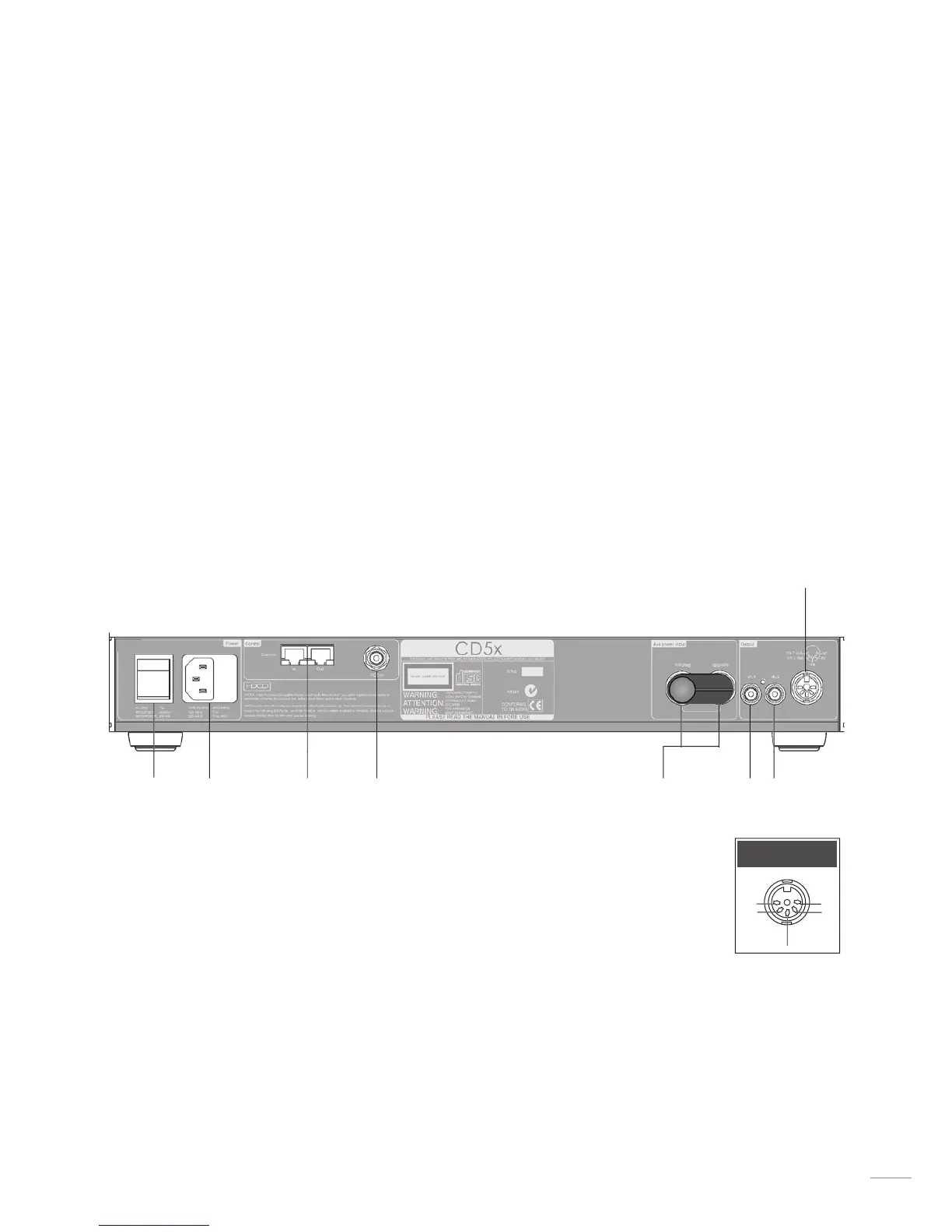
11.1 CD5x Rear
CD5x DIN Output
Notes
The power supply link plug should be fitted unless an external
upgrade power supply is in use.
The RC5 input is intended to accept external control signals
for multi-room applications. Contact your dealer or Naim Audio
directly for further information.
The optional RS232 interface can provide external control of the
player in special custom installations. Contact your dealer or
Naim Audio directly for further information.


 To Next Page