6
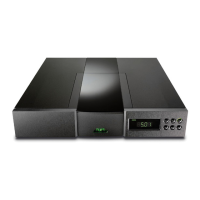
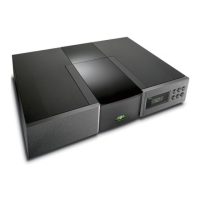
CD5
8 Installation and Operation
The CD5 CD Player can be operated either from its internal power supply or, for
improved performance, from an external Supercap, Hi-cap or Flatcap 2 power supply.
Connection of a Flatcap 2 power supply is illustrated in Diagram 9.2
The CD5 should be installed on a dedicated equipment stand intended for the purpose.
Care should be taken to ensure that the player is level. A transit screw on the underside
of the CD5 case should be removed before use and must be replaced if the unit is to be
re-packed and shipped. This transit screw must not be used in any other Naim product.
The transit screw location is illustrated in Diagram 10.1. Do not invert the player once
the transit screw is removed.
8.1 disc loading
To load a compact disc pull open the CD drawer using the
handle on the left hand side of the player. Place the disc
on the platter followed by the magnetic puck. Do not use a
puck from any other Naim CD player. Disc loading is
illustrated in Section 10.2.
8.2 player controls
previous: With a disc loaded but not playing the previous
button searches the disc contents backwards, either one
track at a time, or sequentially if the button is held. While
a disc is in play, the previous button searches the table of
contents backwards. Play resumes with the selected track
when the button is released.
next: The next button operates in the same way as the
previous button, but moving forwards through the disc
instead of backwards.
stop: Stops play and resets the player to its start condition.
play: Plays a loaded disc from track one unless another
track has been selected. The play button operated while a
track is playing will re-start that track.
All CD control functions are duplicated on the NARCOM 3
and Flash remote handsets. The handsets also provide CD
programming facilities. See Sections 11 and 12 for more
information.
8.3 player display and indicators
The alphanumeric display indicates track and index
numbers, time in minutes and seconds, or various system
messages (Error, Track programming info, etc). The full stop
on the right of the display window illuminates when the
player receives a signal from the remote handset. On the
far left of the display are four indicators.
pause: Illuminates to show that pause has been
selected from the remote handset.
time: Illuminates to indicate display of total disc time
or elapsed time of track being played.
repeat: Illuminates to show that repeat has been
selected from the remote handset.
program: Illuminates to indicate that a program has been
stored. Further information on play list
programming can be found in Sections 11 and 12.
8.4 Power Supply Upgrade
The CD5 can be upgraded through the addition of an
external Power Supply. The external supply works with the
internal power supply of the CD5 to offer both a greater
number of separate supplies and more sophisticated
voltage regulation.
Locate the Power Supply close to the CD5. The Power
Supply is connected to the CD5 via a five pin DIN cable.
Switch off both the Power Supply and CD5 when making
connections. Connect the supply cable ensuring that the
connectors are securely attached.
Switch on the Power Supply from its power button. After a
short while the CD5 will function as normal..



 To Next Page