EasyManua.ls Logo

NAIM N-VI - User Manual

NAIM N-VI
28 pages
Print Icon
To Next Page IconTo Next Page
Loading...
O W N E R S M A N U A L
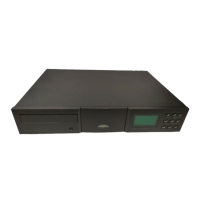
n-Vi Home Theatre System
E N G L I S H
D E U T S C H
F R A N Ç A I S
I T A L I A N O
Question and Answer IconNeed help?

Do you have a question about the NAIM N-VI and is the answer not in the manual?

Summary

Safety Instructions

General Safety Precautions

Essential safety regulations and warnings for Naim equipment.

Naim Introduction

Connections Overview

Importance of correct cable usage and connections.

Product Introduction and Contents

System Capabilities

Details the n-Vi's integrated features like DVD, AV, and hi-fi.

Connections Overview

Signal Inputs

Describes digital and analogue audio input options.

Control and Setup Methods

On Screen Setup Navigation

How to navigate the On Screen Setup menus.

Front Panel Setup Navigation

How to navigate Front Panel Setup menus and controls.

Front Panel Display and Handset

NARCOM DV Handset Functions

Details the dedicated remote handset for the n-Vi.

Recommended Initial Setup Stages

On Screen Setup - DVD Playback

On Screen Setup - Video Settings

On Screen Setup - Progressive Scan

Colour Format and Picture Adjust

Setting colour format and adjusting progressive scan video.

On Screen Setup - Audio and Speaker

Speaker Setup Options

Defining speaker size, units, and test signal.

On Screen Setup - Advanced Audio;Parental

Parental Control Setup

Setting up passcodes and content restrictions.

Front Panel Setup

Video System and Output Format

Initial video setup via front panel.

Speaker, Input and Audio Setup

Front panel adjustments for speakers, inputs, and audio.

Operation - Playback Control

Basic Playback Functions

Play, Stop, Pause, Next, Previous, Fast Forward/Reverse.

Operation - Playback Options & Modes

Decode Modes

Selection and availability of surround sound decoding modes.

Surround Encoding Technology

Video Formats Explained

Interlaced and Progressive Scan Video

Difference between interlaced and progressive scan video.

System Connections

n-Vi with NAC252, Supercap and NAP250

Wiring diagram for integrating n-Vi with Naim components.

Trouble-shooting

Video and Disc Playback

Solutions for common video and playback problems.

Audio

Solutions for common audio playback problems, including subwoofer.

Specification

Specification Details

Lists supported media, outputs, inputs, and dimensions.

Summary

Safety Instructions

General Safety Precautions

Essential safety regulations and warnings for Naim equipment.

Naim Introduction

Connections Overview

Importance of correct cable usage and connections.

Product Introduction and Contents

System Capabilities

Details the n-Vi's integrated features like DVD, AV, and hi-fi.

Connections Overview

Signal Inputs

Describes digital and analogue audio input options.

Control and Setup Methods

On Screen Setup Navigation

How to navigate the On Screen Setup menus.

Front Panel Setup Navigation

How to navigate Front Panel Setup menus and controls.

Front Panel Display and Handset

NARCOM DV Handset Functions

Details the dedicated remote handset for the n-Vi.

Recommended Initial Setup Stages

On Screen Setup - DVD Playback

On Screen Setup - Video Settings

On Screen Setup - Progressive Scan

Colour Format and Picture Adjust

Setting colour format and adjusting progressive scan video.

On Screen Setup - Audio and Speaker

Speaker Setup Options

Defining speaker size, units, and test signal.

On Screen Setup - Advanced Audio;Parental

Parental Control Setup

Setting up passcodes and content restrictions.

Front Panel Setup

Video System and Output Format

Initial video setup via front panel.

Speaker, Input and Audio Setup

Front panel adjustments for speakers, inputs, and audio.

Operation - Playback Control

Basic Playback Functions

Play, Stop, Pause, Next, Previous, Fast Forward/Reverse.

Operation - Playback Options & Modes

Decode Modes

Selection and availability of surround sound decoding modes.

Surround Encoding Technology

Video Formats Explained

Interlaced and Progressive Scan Video

Difference between interlaced and progressive scan video.

System Connections

n-Vi with NAC252, Supercap and NAP250

Wiring diagram for integrating n-Vi with Naim components.

Trouble-shooting

Video and Disc Playback

Solutions for common video and playback problems.

Audio

Solutions for common audio playback problems, including subwoofer.

Specification

Specification Details

Lists supported media, outputs, inputs, and dimensions.

NAIM N-VI Specifications

General IconGeneral
BrandNAIM
ModelN-VI
CategoryHome Theater System
LanguageEnglish