E8
Operation - The Local Inter face
4. 5 Cre ating and M anagi n g Pla ylist s
A playlist is a group of albums, artists, tracks, or genres
collected together for a specific purpose; “favourites”
perhaps, or “party tracks”. The tracks of an album for
example may also be referred to as a playlist. A playlist is
created by creating a list of items and then saving it.
4.5.1 Creating Playlists
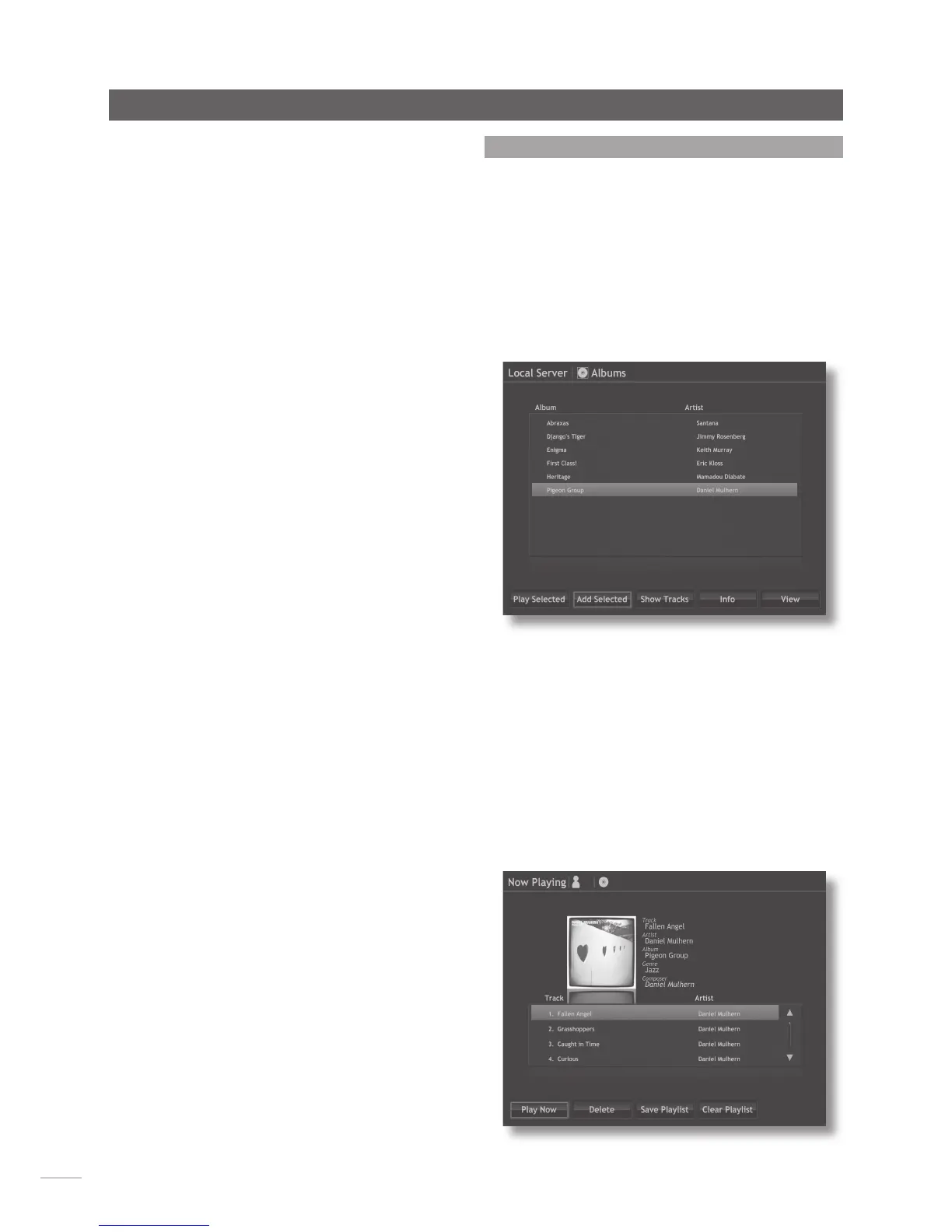
Selecting Albums, Artists, Tracks or Genres from the Browse
menu displays a menu, illustrated below, that lists all the
available items that fall into the selected category and
enables the selection and creation of playlists.
To create a playlist, select the first desired item followed by
the Add Selected button. Repeat this procedure for each
desired item. The items will subsequently play in the order in
which they were selected.
4.5.2 Naming and Saving Playlists
To name and save the playlist, select the home menu using
the home key on the handset, then select the Current
Playlist option. As illustrated below (in this case an album is
a playlist), selecting Current Playlist will display a track level
list of the tracks selected to play together with options to
Play Now, Delete (selected tracks from the playlist), Save
Playlist and Clear Playlist.
Genres: Displays an alphabetical list of the genres assigned
to albums available to the music server. The menu also
provides options to Play Selected, Add Selected (to a
playlist), and Show Albums (within each genre).
Playlists: Displays a menu that enables the selection and
management of playlists. The creation and management
of playlists is covered fully in Section 4.5.
Composers: Displays an alphabetical list of material
available to the music server sorted by composer.
Note: Only tracks by a specified composer will listed.
Conductors: Displays an alphabetical list of material
available to the music server sorted by conductor.
Note: Only tracks by a specified conductor will be listed.
Performers: Displays an alphabetical list of material
available to the music server sorted by performer.
Note: Only tracks by a specified performer or performers
will be listed.


 To Next Page