E9
Operation - The Local Inter face
4. 6 The Find Musi c Men u
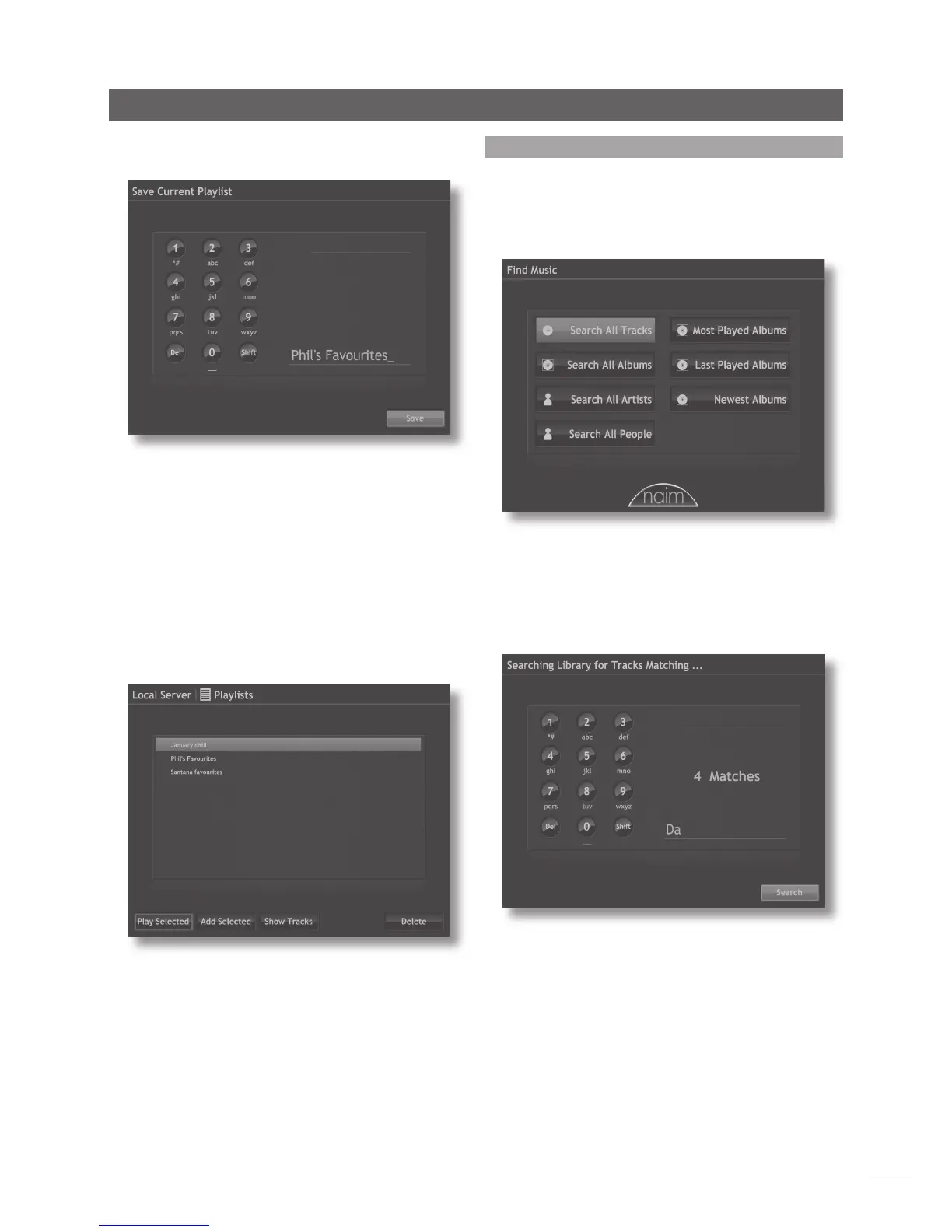
Selecting Find Music from the Home menu will open
the top level of the search menu, illustrated below, and
provide access to search functions to locate material
held either locally on the music server or on any available
network or USB device.
Search All Tracks: Displays a menu, illustrated below, that
enables alpha-numeric search of tracks. Use the handset
navigation keys to select letters and type a track name.
Use the ok key to initiate the search.
Note: The handset numeric keys may also be used to enter
text in a similar manner to mobile phone SMS text entry.
Search All Albums: Displays a menu that enables alpha-
numeric search of albums. Use the handset navigation keys
to select letters and type an album name. Use the ok key
to initiate the search.
Search All People: Displays a menu that enables
alpha-numeric search of personnel (artist, composer or
performer). Use the handset navigation keys to select
letters and type a name. Use the ok key to initiate the
search.
Random Playlist: Enables generation of random playlists
from within one or more music genres.
Selecting Save Playlist will open a text entry screen,
illustrated below, where the playlist can be named.
Use the handset navigation keys to select letters and type
a track name. Use the ok key or select the Save option to
save the playlist.
Note: The handset numeric keys may also be used to enter
text in a similar manner to mobile phone SMS text entry.
4.5.3 Selecting and Managing Playlists
Selecting Playlists from the Browse menu displays a list of
previously saved playlists together with options to Play
Selected, Add Selected (add the selected playlist to a new
playlist), Show Tracks (tracks that make up the items within
the selected playlist) and Delete.



 To Next Page