Need help?
Do you have a question about the NANLITE FS-300 and is the answer not in the manual?
Specifications for FS-150, FS-200, and FS-300 models.
Procedure for connecting power and verifying the fixture is ready.
How to adjust the brightness using the left knob.
How to select and configure various special effects.
Important safety guidelines for using the light fixture.
Key operational notices and warnings for safe use.
Common issues and their troubleshooting steps.
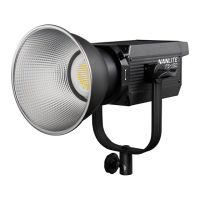
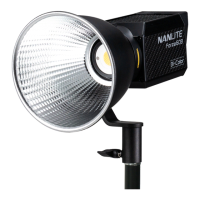
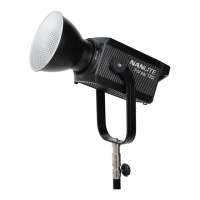
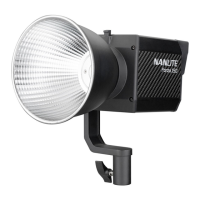
The Nanlite FS-150/FS-200/FS-300 LED Spot Light is a versatile lighting fixture designed for various photographic and video applications. This user manual provides a comprehensive guide to its features, operation, and maintenance.
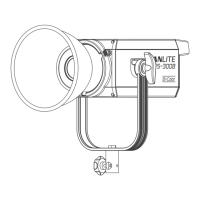
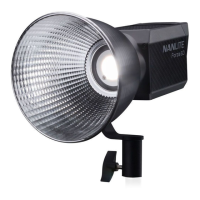
The device's core function is to provide powerful and adjustable LED spot lighting. It is equipped with a Bowens mount, allowing for easy installation and disassembly of reflectors and other accessories. An umbrella hole is also integrated for mounting and removing umbrellas, enhancing light diffusion and shaping. The included reflector is specifically designed to gather light, thereby improving central illumination.
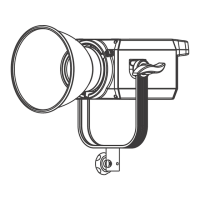
For physical adjustments, the light features an angle fixing knob that enables vertical adjustments and secure fixing of the lamp. A yoke is designed for connecting the lamp to a light stand and precisely adjusting the beam angle. Additionally, a bracket fixing knob facilitates connecting the spot light to camera equipment and adjusting its horizontal direction. The lamp body handle is ergonomically designed for convenient lifting of the lamp and adjusting the direction of the light.
The device's interface includes a display that shows relevant data, making it easy for users to monitor settings. Control is managed through two main knobs: the right knob is used for selecting special effects, channels, language, and firmware version, while the left knob is dedicated to adjusting brightness. A power indicator provides visual feedback on the power input status; a steady light indicates normal power, while a flashing or off indicator signals an abnormal power supply or no power input. The power switch controls the on/off state of the fixture. For power connection, there is a DC power interface (power socket) and a fuse base for placing the fuse. A USB port is available for updating the firmware, ensuring the device remains up-to-date with the latest features and improvements.
Operating the Nanlite FS series involves a straightforward process. Before turning on the power, ensure the power switch is in the "OFF" position, then connect the fixture to the adapter with the power cable. Once the power switch is turned on, the indicator should be normally lit, and the screen will display relevant information.
Brightness adjustment, or DIM setting, is controlled by the left knob. Rotating it clockwise increases brightness, while counter-clockwise rotation reduces it. The display shows the brightness as a percentage, with a range from 0% to 100%.
The device offers a variety of special effects (FX Mode), which are selected using the right knob. These effects include OFF, INT LOOP, FLASH, PULSE, STORM, TV, PAPARAZZI, CANDLE/FIRE, BAD BULB, FIREWORK, EXPLOSION, and WELDING. When the effect is set to OFF, it means the effect mode is inactive.
For the INT LOOP effect, users can press the left knob to select DIM 1 or DIM 2, then rotate it to choose the desired value. The right knob is used to select SPEED, which can then be adjusted by rotating the knob, with a speed range from 2s to 30s.
The FLASH effect allows users to press the right knob to select INTERVALS, and then rotate it to set the desired value, with a range from 0.1s to 10s.
For the PULSE effect, pressing the right knob selects PULSES/MIN, which can then be adjusted by rotating the knob, with a range from 1 to 240.
The STORM effect involves pressing the right knob to enter the INTVL range setting, then rotating it to select the desired INTVL range. Pressing the right knob again and rotating it allows for further adjustment of the INTVL range, which spans from 1s to 60s.
The TV effect is similar to INT LOOP, where the left knob selects DIM 1 or DIM 2, and rotation adjusts the corresponding value. The right knob selects SPEED, and rotation adjusts its value, with a range from 1 to 100.
For the PAPARAZZI effect, the right knob is pressed to select SPEED, and then rotated to adjust the value, with a range from 1 to 100.
The CANDLE/FIRE effect also uses the left knob to select DIM 1 or DIM 2 for value adjustment, and the right knob to select and adjust SPEED, with a range from 1 to 100.
The BAD BULB effect involves pressing the right knob to enter INTENSITY setting, then rotating it to select the value (range 1-100). Pressing the right knob again enters SPEED setting, and rotation adjusts its value (range 1-100).
The FIREWORK effect requires pressing the right knob to enter SPEED setting, then rotating it to select the value (range 1-100). Pressing the right knob again enters DECAY setting, and rotation adjusts its value (range 1-100).
The EXPLOSION effect follows a similar pattern: press the right knob for SPEED setting, rotate for value (range 1-100); press again for DECAY setting, rotate for value (range 1-100).
Finally, the WELDING effect uses the left knob to select DIM 1 or DIM 2 for value adjustment, and the right knob to select and adjust SPEED, with a range from 1 to 100.
Beyond effects, the device allows for CHANNEL setting. Pressing the right knob selects CHANNEL, and rotating it selects the address.
Language setting is also available. Pressing the right knob enters LANGUAGE setting, and rotating it selects the desired language.
Users can check the current firmware VERSION by pressing the right knob.
A lock function is included to prevent accidental changes. Long-pressing the right knob locks the adjustment knobs, preventing them from changing the current function. Long-pressing it again releases the lock.
For maintenance and safety, several precautions are outlined. Upon receiving the package, users should check for transit damage and contact the vendor if any is found. The power cord should not be damaged, and users should avoid unplugging it forcefully or dragging it. It is crucial to ensure the power supply voltage matches the light's specifications. When not in use or during cleaning, the light should be turned off and stored safely away from children.
During operation, users should never look directly at the emitter when the light is on. Objects should not be placed on the light emitter, and liquids should not be allowed to enter the fixture. The light should be kept away from flammable substances like alcohol or gasoline. For cleaning, a dry cloth with clean water or a neutral cleanser should be used to wipe off debris.
The light should be operated in safe conditions, avoiding wet environments or extreme temperatures. Self-repair is not recommended as it voids the warranty; repairs should be handled by the place of purchase. To ensure optimal cooling, the vents should not be covered during use, as this can damage the equipment. Due to high temperatures during prolonged use, users should be mindful of anti-scalding precautions. Lastly, the protective cap must be removed before using the light.
The manual also includes a general fault detection and diagnosis guide, covering issues such as the light not starting up, the LCD display not working despite light output, no light output despite the LCD display being on, abnormal flickering, and the fan not working. For unresolved issues, users are advised to contact the place of purchase.
Future firmware releases may add more lighting effects and functionalities, which will be detailed on the Nanlite website.
 General
| Beam Angle | 55° |
|---|---|
| Color Temperature | 5600K |
| CRI | 96 |
| Power Output | 330W |
| Dimming | 0-100% |
| Operating Voltage | AC 100-240V, 50/60Hz |
| Cooling System | Fan |


 To Next Page