Need help?
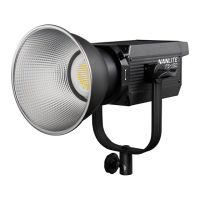
Do you have a question about the NANLITE FS-150 and is the answer not in the manual?
Adjust brightness using the left knob; range is 0%-100%.
Setting DIM 1, DIM 2, and SPEED for the INT LOOP effect.
Setting INTERVALS for the FLASH effect.
Setting PULSES/MIN for the PULSE effect.
Setting INTVL range for the STORM effect.
Setting DIM 1, DIM 2, and SPEED for the TV effect.
Setting SPEED for the PAPARAZZI effect.
Setting DIM 1, DIM 2, and SPEED for the CANDLE/FIRE effect.
Setting INTENSITY and SPEED for the BAD BULB effect.
Setting SPEED and DECAY for the FIREWORK effect.
Setting SPEED and DECAY for the EXPLOSION effect.
Setting DIM 1, DIM 2, and SPEED for the WELDING effect.
 General
| Power Output | 150W |
|---|---|
| Color Temperature | 5600K |
| Light Source | LED |
| Dimming Range | 0-100% |
| Power Supply | AC 100-240V, 50/60Hz |
| Firmware Upgrade | Yes |
| Control | DMX512, Wireless |
| Color Temperature Range | 5600K |

 To Next Page