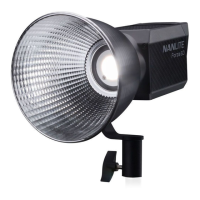
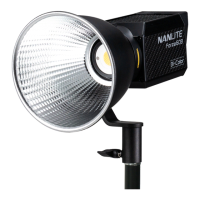
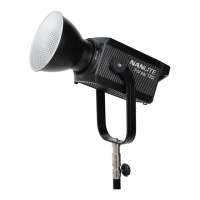
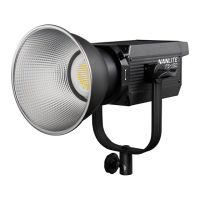
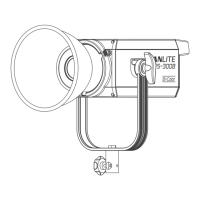
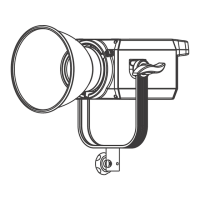
The Nanlite Forza 150 LED Spot Light is a versatile and powerful lighting fixture designed for professional photo and video production. It offers a range of features for precise control over lighting parameters, making it suitable for various creative applications.
Function Description
The Forza 150 is primarily a high-output LED spot light, capable of providing intense and focused illumination. Its core function is to emit light with adjustable brightness and, in some models, adjustable color temperature (though this manual applies to both 5600K and 3200K fixed color temperature versions). The fixture is designed to be highly adaptable, supporting various accessories for light shaping and modification.
A key aspect of its functionality is the integrated OLED display, which serves as the primary interface for monitoring and adjusting all lighting parameters and functions. This display provides real-time feedback on settings such as dimming percentage, effect modes, and menu selections.
The device incorporates a comprehensive remote control system, supporting DMX, RDM, and 2.4G wireless control, as well as built-in Bluetooth connectivity. This allows for flexible operation from a distance, integrating seamlessly into larger lighting setups or controlled via dedicated remote controllers or mobile applications. The ability to pre-set channels (CH) is crucial for DMX, RDM, and 2.4G remote control solutions, ensuring proper communication and control within a multi-fixture environment.
The Forza 150 also features a robust effects engine, offering 11 built-in lighting effects to simulate various real-world scenarios. These effects include INT LOOP, FLASH, PULSE, STORM, TV, PAPARAZZI, CANDLE/FIRE, BAD BULB, FIREWORK, EXPLOSION, and WELDING. Each effect can be customized with parameters like dimming (DIM), speed (SPD), interval (INTVL), intensity, or decay, providing a wide range of creative possibilities without the need for external controllers or complex programming.
Usage Features
The Forza 150 is designed for ease of use and flexibility in various production environments.
- Mounting and Accessories: The fixture features a lock catch mechanism for quickly mounting and dismounting the included reflector and other accessories. It is compatible with accessories that have an FM mount, and a Bowens adapter is provided for compatibility with a wider range of Bowens mount accessories. The L bracket allows for easy connection to a light stand, and the angle fixing knob enables tilting the fixture to different angles. The bracket fixing knob further secures the fixture on the yoke and allows for panning.
- Power and Connectivity: The power socket connects to a DC power source, and a USB port is available for firmware updates, ensuring the fixture can be kept up-to-date with the latest features and improvements. DMX In/Out ports are provided for DMX signal integration, though a DMX adapter cable is sold separately.
- Intuitive Control Interface: The control panel consists of a left knob, a right knob, and a mode button.
- The MODE button is central to navigating the fixture's main modes: DAYLIGHT (for standard continuous lighting), EFFECT (for accessing the built-in lighting effects), and MENU (for system settings).
- The left knob is primarily used for adjusting dimming levels and setting specific parameters within selected functions or effects. Rotating it clockwise increases values (e.g., brightness), while rotating it anti-clockwise decreases them.
- The right knob is used for selecting various functions, navigating through menu options, and choosing specific parameters to adjust within effect modes (e.g., "DIM," "SPD," "INTVL").
- DAYLIGHT Mode: In DAYLIGHT mode, users can adjust the brightness from 000% to 100% using the left knob.
- EFFECT Mode: The 11 built-in effects offer a range of simulations:
- INT LOOP: Adjustable dimming and speed (2s-30s).
- FLASH: Adjustable dimming and interval (0.1s-10.0s).
- PULSE: Adjustable dimming and pulses per minute (1-240).
- STORM: Adjustable dimming and interval (1s-60s).
- TV: Adjustable dimming and speed (1-100).
- PAPARAZZI: Adjustable dimming and speed (1-100).
- CANDLE/FIRE: Adjustable dimming and speed (1-100).
- BAD BULB: Adjustable dimming, intensity, and speed (1-100).
- FIREWORK: Adjustable dimming, speed, and decay (1-100).
- EXPLOSION: Adjustable dimming, speed, and decay (1-100).
- WELDING: Adjustable dimming, speed, or can be set to PAUSE (ON/OFF), where the light turns off when PAUSE is ON.
- MENU Settings: The MENU provides access to system configurations:
- CH Setting: Allows selection of the DMX/RDM/2.4G channel (address code).
- DMX Mode Setting: Enables selection between "DAYLIGHT" or "ULTIMATE" DMX modes.
- LANGUAGE: Users can switch between English ("ENG") and Chinese ("中文").
- WIRELESS PROTOCOL: Supports 2.4G wireless protocols V1.0 and V2.0, allowing compatibility with different remote controllers (WS-RC-C1/C2 for V2.0, others for V1.0).
- BLUETOOTH (BT): Includes an option to reset Bluetooth settings.
- FAN: Controls the built-in fan. When the fan is ON, the light output is 100%. When the fan is OFF, the light output is limited to 25% to prevent overheating.
- VERSION: Displays the current firmware version of the device.
- Lock Function: A crucial usage feature is the ability to lock all buttons and knobs by long-pressing the right knob. This prevents accidental changes to current settings during operation, and another long press unlocks them.
Maintenance Features
Proper maintenance ensures the longevity and optimal performance of the Forza 150.
- Initial Inspection: Upon receiving the product, it's important to check for any transit damage. Damaged units should not be used, and the place of purchase or manufacturer should be contacted immediately.
- Power Cord Care: Users are advised not to use power cords with damaged insulation, and to avoid unplugging or dragging the cord forcefully.
- Voltage Compatibility: Always ensure the power supply voltage matches the light's designated voltage before installation to prevent electrical damage.
- Cleaning: The light should be turned off before cleaning. Debris or dirt can be wiped off using a cloth dampened with clean water or a neutral cleanser.
- Storage and Environment: The fixture should be stored and mounted in a dry, well-ventilated area. It should not be used in damp, dusty, or overheated environments. Crucially, the fan and vents must not be blocked or obstructed to ensure proper cooling.
- COB Protective Cap: Before using the fixture, the COB protective cap must be removed.
- Eye Safety: Never look directly at the light emitter when the light is on, as it can cause eye damage.
- Battery Usage: If powering the fixture with a battery grip, only 14.4V-26V/10A V-mount batteries should be used.
- Obstruction and Flammables: Avoid placing objects on the light emitter or allowing liquids to flow inside the fixture or emitter. The fixture should also be kept away from flammable substances like alcohol or gasoline.
- Cooling and Overheating: For optimal cooling, the vents should always remain uncovered during use. Covering them can lead to equipment damage. Users should be cautious as the fixture's surface can become hot during prolonged use, posing a risk of burns or scalds.
- Firmware Updates: The USB port allows for firmware updates, which can introduce new lighting effects or additional functions. Users are encouraged to check the Nanlite website (www.nanlite.com) for the latest firmware releases.
- Repair Policy: Any attempt to repair the fixture by the user will void the warranty. Repairs should only be performed by trained professionals following strict protocols outlined in the manual.
- Troubleshooting: The manual provides a "General Fault Detection and Diagnosis" section to help users identify and resolve common issues, such as the light not starting, control issues, or fan failures. If problems persist after troubleshooting, contacting distributors or the manufacturer for repair is recommended.
- Switching Off: Always switch off the fixture when it is not in use to conserve energy and ensure safety.

 Need help?
 General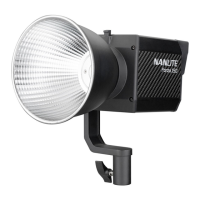

 To Next Page