10
SPD:
50
FX: TV
0% - 100%
SPD:
50
FX: TV
0% - 100%
SPD:
50
FX: TV
0% - 100%
SPD:
50
FX: TV
0% - 99%
SPD:
50
FX: TV
0% - 99%
⑥TV
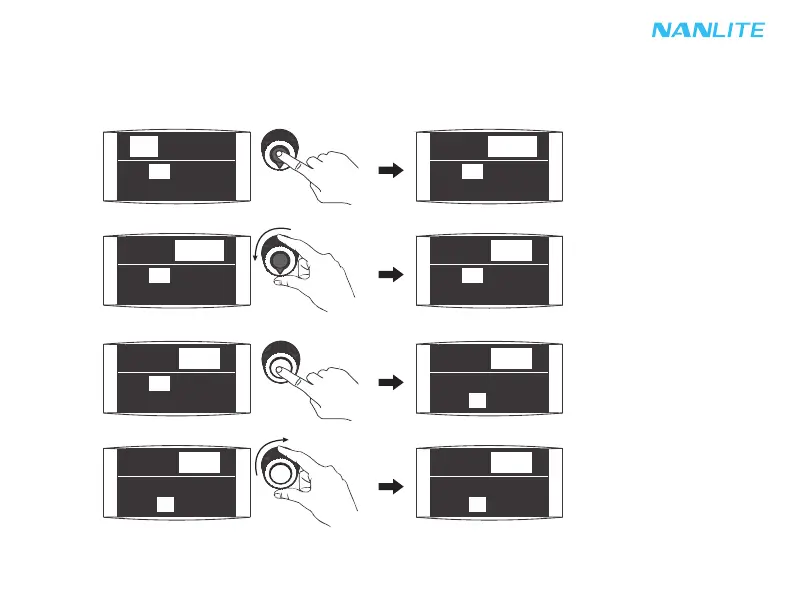
TV setting: Press "left knob" to select DIM 1, DIM 2, then rotate "left knob" to select corresponding value according
to demands; Press "right knob" to select SPEED, rotate "right knob" to select corresponding value according to
demands, SPD range is from 1-100.
Press "left knob" to select DIM 1, DIM 2.
Rotate "left knob" to select corresponding value.
Press "right knob" to select SPD.
Rotate "right knob" to select corresponding value.
FX: TV
0% - 99%
SPD:
50
FX: TV
0% - 99%
SPD:
50
FX: TV
0% - 99%
SPD:
51


 To Next Page