48 49
Troubleshooting
Issue Recommedations
Sounds like
I’m in a barrel
Remove dome Try using hearing aid
without dome
Try a smaller vented dome
Try a smaller closed dome
Try a different program setting
Volume/
Amplification
is not enough
Change program setting
Turn volume level up
Clean thin tube tip or dome with hearing aid
brush or damp cloth to ensure wax and debris
is not blocking sound port
Use hearing aid brush over microphone to
remove wax or debris that may be blocking
the microphone
Use black filament to clean thin tube
Wax may be present in the canal
Troubleshooting
Issue Recommedations
There is no
sound at all
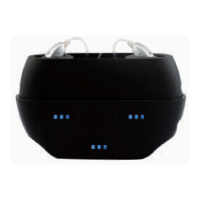
Ensure hearing aid has been fully charged
indicated by green light on charging case
Press and hold the lower button on aid for
seconds to ensure aid has powered on
Check dome and thin tube tip to be sure
they are not occluded with wax/debris Clean
dome and thin tube tip with hearing aid brush
or damp cloth
Use hearing aid brush to clean microphones



 To Next Page