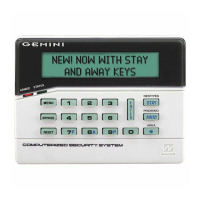
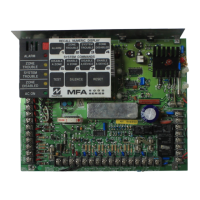
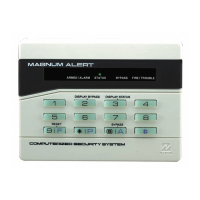
NAPCO Gemini C-Series Control Panel Programming Instructions--Volume 2
NAPCO Security Group
Programming Instructions, Volume 2 Page 103
[Default = blank (•) blank (•) from address 5476-5574]
USER AREA OPTIONS (ADDRESS 5476 - 5574)
AREAS 1 → 8
USER
NUMBER
ADDR A1 A2 A3 A4 A5 A6 A7 A8
1 2 3 4 5 6 7 8
97 5476
98 5477
99 5478
100 5479
101 5480
102 5481
103 5482
104 5483
105 5484
106 5485
107 5486
108 5487
109 5488
110 5489
111 5490
112 5491
113 5492
114 5493
115 5494
116 5495
117 5496
118 5497
119 5498
120 5499
121 5500
122 5501
123 5502
124 5503
125 5504
126 5505
127 5506
128 5507
129 5508
130 5509
131 5510
132 5511
133 5512
134 5513
135 5514
136 5515
137 5516
138 5517
139 5518
140 5519
141 5520
142 5521
143 5522
144 5523
AREAS 1 → 8
USER
NUMBER
ADDR A1 A2 A3 A4 A5 A6 A7 A8
1 2 3 4 5 6 7 8
145 5524
146 5525
147 5526
148 5527
149 5528
150 5529
151 5530
152 5531
153 5532
154 5533
155 5534
156 5535
157 5536
158 5537
159 5538
160 5539
161 5540
162 5541
163 5542
164 5543
165 5544
166 5545
167 5546
168 5547
169 5548
170 5549
171 5550
172 5551
173 5552
174 5553
175 5554
176 5555
177 5556
178 5557
179 5558
180 5559
181 5560
182 5561
183 5562
184 5563
185 5564
186 5565
187 5566
188 5567
189 5568
190 5569
191 5570
192 5571
193 5572
194 5573
195 5574
USER AREA OPTIONS:
1. Each address corresponds to a specific User, numbered 97-195. For each User, select the desired Area by marking the
desired Area number (1-8) in the above table.
2. Enter the corresponding Area number in each the address location, in Binary (Bit) Format.
3. Press U to save. NOTE: See Direct Address Programming Example on page 72.


 To Next Page
 Loading...