15
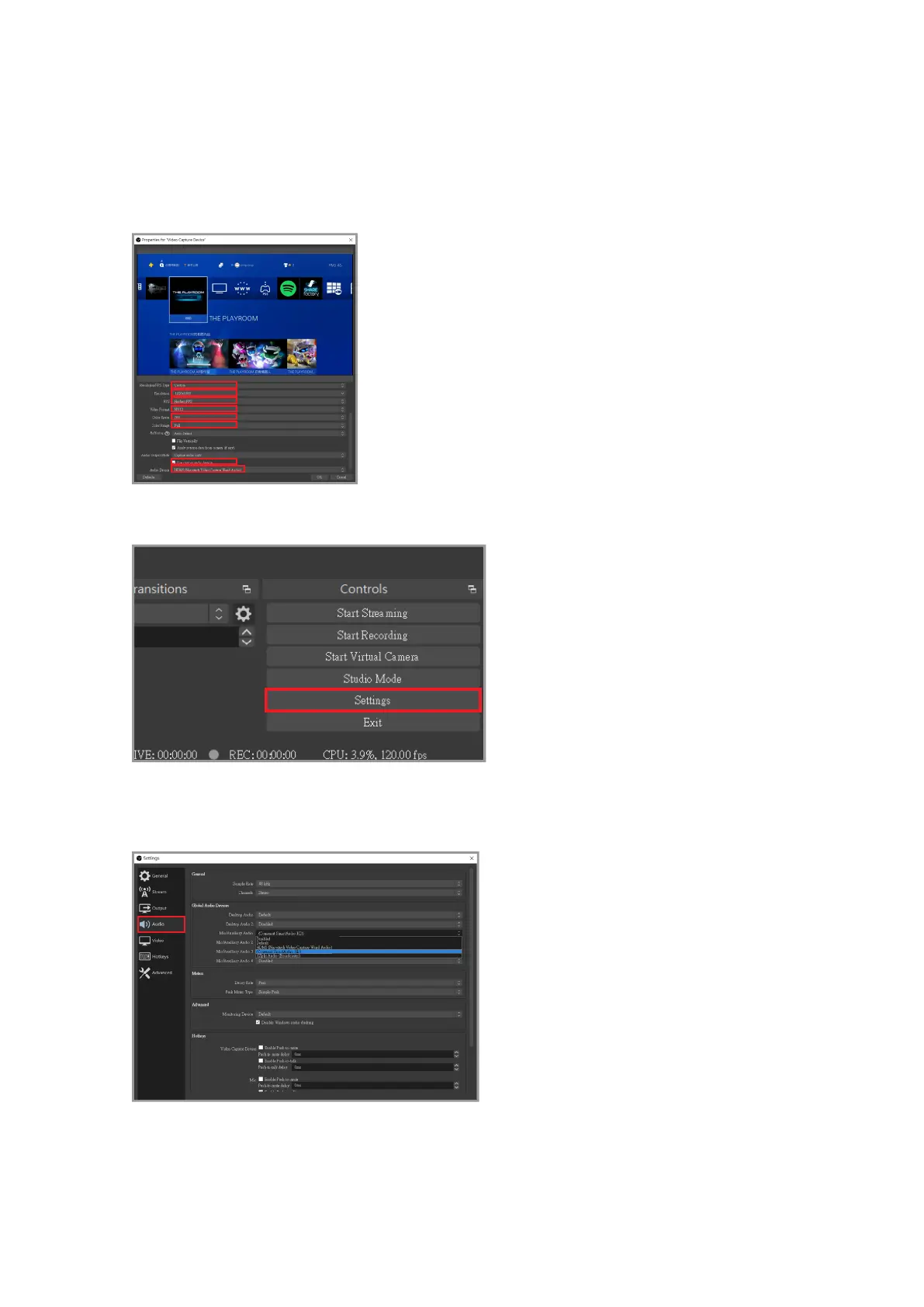
Scroll down on the right scroll bar, click [Resolution/FPS Type> Custom], and then adjust
the resolution according to your personal needs (For live streaming, it is recommended to
set the resolution to 1080p or 720p. Then click "Use custom audio device" option, after that,
the audio device options below will pop up, and select "HDMI (Narvitech Video Capture
Wand Audio)
After the setting is completed, return to the main screen and click "Settings" in the lower
Click "Sound Eects" in the left test menu, you can add microphone sound eects on the
right.



 To Next Page