19
Start recording
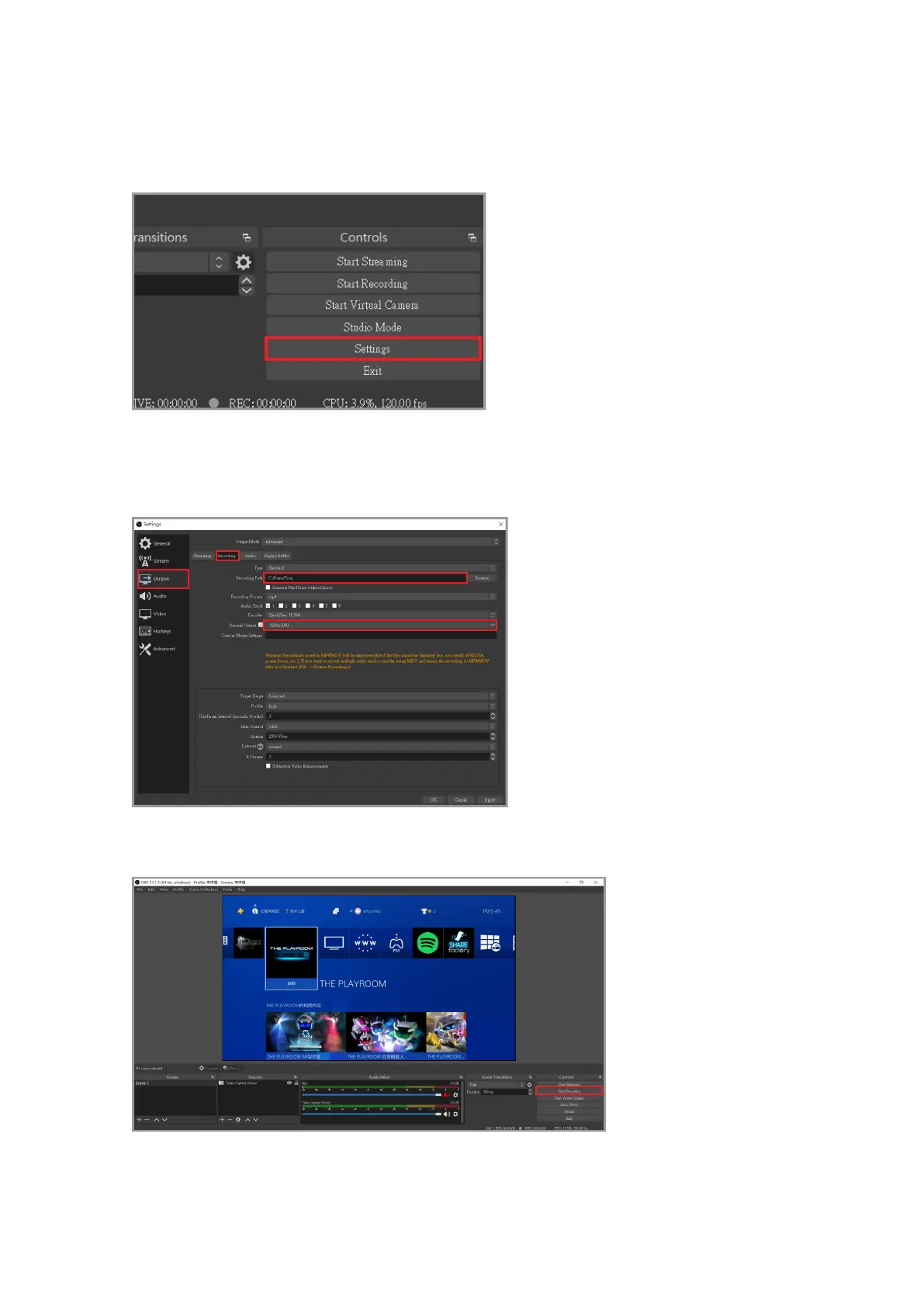
Click "Output" in the left menu, then click to adjust the recording path after recording (send
the recorded video to the specied location) and then adjust the rescaled output to the
appropriate resolution by your own preferences.
Finally, click "Start Recording" in the lower right corner to start recording!
First click "Settings" at the bottom right corner of the main screen



 To Next Page