17
Start streaming
After the hardware connection and software settings are completed, you can prepare to
stream. Please be sure to test before the live broadcast (for example: sign up a test account
to check for your streaming quality) to ensure that the resolution, volume, and content of
the live broadcast are what you want.
1. To stream on Youtube, an account must be signed up rst
2. Youtube activation process: [Youtube homepage> click Create in the upper right corner of the
page> Live broadcast and wait for 24 hours to activate the account.]
3. The highest resolution of Facebook live streaming only supports 720P
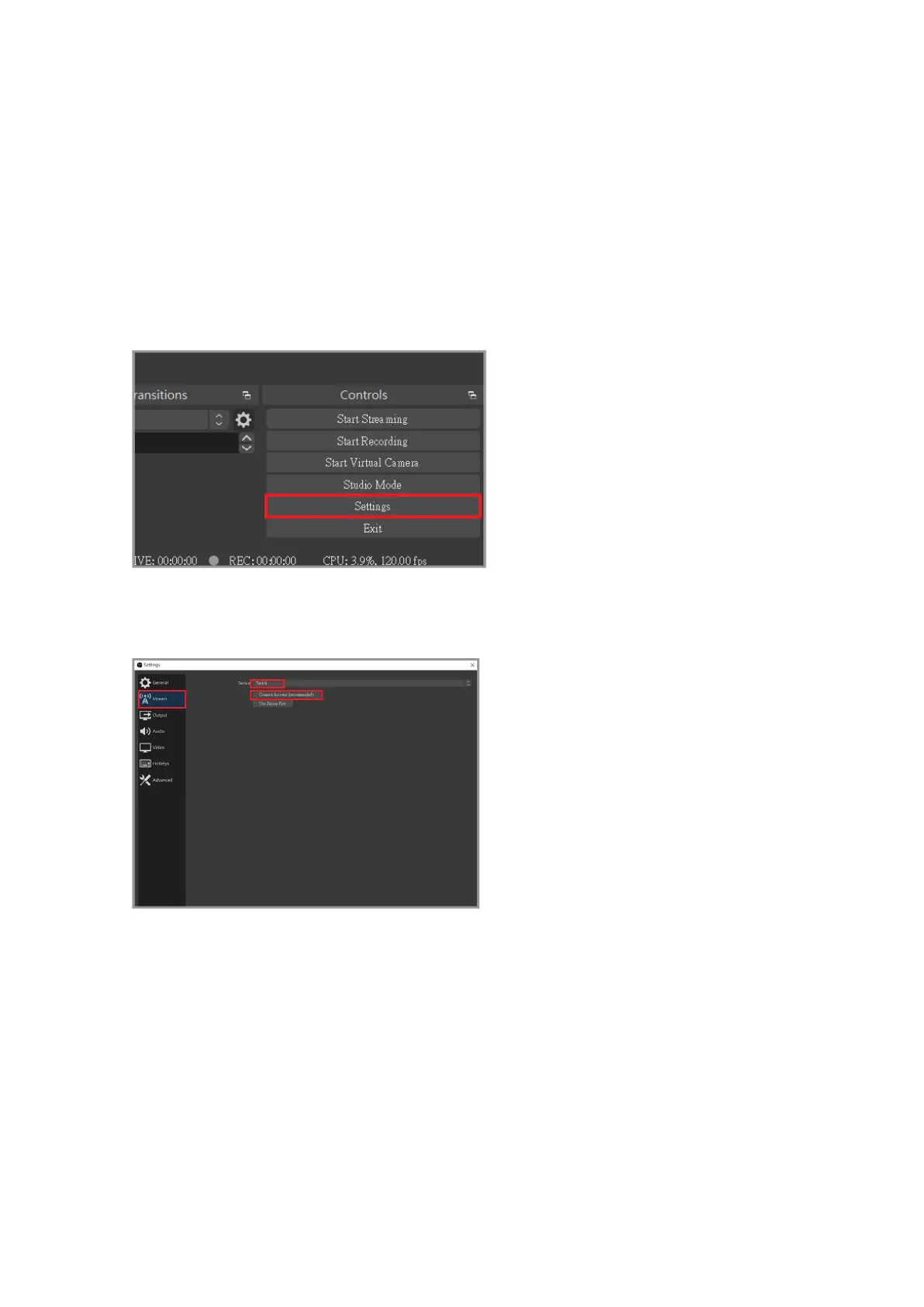
First click "Settings" at the bottom right corner of the main screen
Click "Stream" in the left menu, select the platform you want to stream on (Twitch as an
example), and then click Link Account



 To Next Page