7. Set the minute using RND/+ or CD/- . Push and hold
either buon to toggle through more quickly.
8. Push the SET/OK buon.The second blinks.
9. Set the second using RND/+ or CD/- . Push and hold
either buon to toggle through more quickly.
10.Push the SET/OK buon.
The countdown me is now programmed.
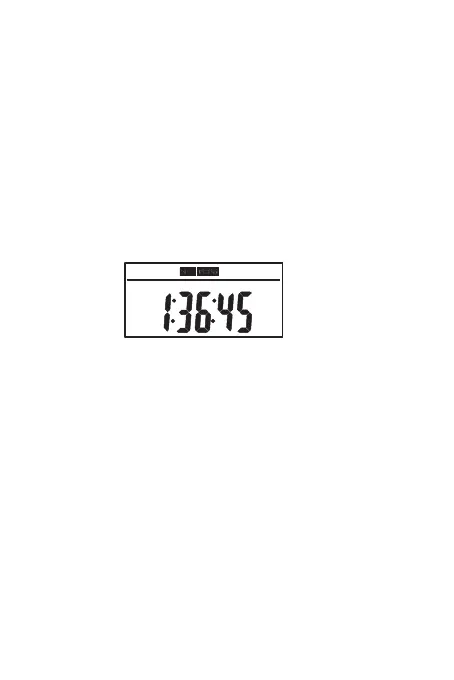
For example, we set CD me, 1h:36m:45s ON
• To start the countdown, push the CD/- buon.
• To exit the countdown, push the CD/- buon again.
The preset countdown me is displayed again.
Note:
• All other programs are deacvated during a
countdown.
• If CD blinks on the display during a countdown,
the mer is currently in another mode and
must be switched over.
• A countdown cannot be started if the weekly
mer is in random mode.
• To manually exit a countdown, push CD/- buon.
CD
ON
14


 To Next Page