:*:nat
PTAI2-300 POTS Telephone Adapter with NVIS Display
SM55-2 lnstallation and Operation Manual
3.3.2.6 Phones Volume
(A
V)
The UP/DOWN arrow
button
is
a momentary digital
rocker
switch used
to
increase
and
decrease the
phones
output volume when
the PTA12-300
is in
Call mode
(i.e,
the hook
switch
is
active), or when the
hook switch is inactive
but the Ringer
Detect
circuit
is
active.
The
phones
output volume increases by
pressing
the A
(up)
arrow
button and decreases with the Y
(down)
arrow bufton. There are a total of 32 steps from minimum
volume
to
maximum volume
and with
each A
or
Y
press,
the display indicates the volume level
(1
through 32). The display will show Volume
Up or Volume Dn
(with
the
relevant volume
level at the right of the display) until
the next
operator action
The
UP/DOWN arrow button may
be used to adjust
the
phones
volume by one step at a time
by
pressing
and
releasing
the button within one
second.
The level may also be used to auto-advance
by
holding
down
either UP
or
DOWN
for more than one second. ln auto-advance mode the
volume
steps at approximately
five levels
per
second. Once at the top of the volume range
(level
32)
the
control
remains
at 32 and does
not wrap
around to
level
1. The same is true for the bottom of the range
(level
I
).
Once at level I
subsequent
presses
of the DOWN
arrow button does not change
the level.
The last
value of the
phones
volume is
stored in non-volatile
memory, and is retained upon
power
down.
3.3.3
Annunciators
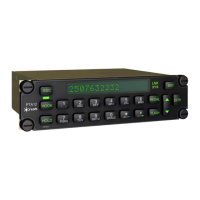
The HOOK and HOLD
annunciators are immediately to the
left
of
the display, and the LNK
and SYS
annunciators
are
immediately
to the right of the display. They are
green
LED 'dead-front'text
annunciators, which means that they
are
not visible
until they are
illuminated.
3.3.3,1 HOOK
and
HOLD Annunciators
The functioning
of the HOOK and HOLD annunciators is described in sections 3.3.2.2 and 3.3.3.3.
3.3,3.2
Satcom
Annunciators
The
other two annunciators, LNK and SYS, are only operational when the
PTAI2-300 is interfaced
to an
STX100
satcom data communications
port.
3.3.3.3 LNK
(Satcom
Linkl
The LNK text will not
be
visible
(LED
off) if the satcom link is down and
will illuminate
green
(LED
on)
when the satcom link is
established.
3.3.3.4
SYS
(Satcom
Svsteml
The
SYS text
will
not be visible
(LED
off) if the satcom system is busy and
will illuminate
green
(LED
on)
when the
satcom system is available for voice.
Section 3 Rev: 1.00 lssue 4 Page
34
ENG-FORM: 806-01
1 2.DOT
CONFIDENTIAL AND PROPRIETARY TO NORTHERN AIRBORNE
TECHNOLOGY
LTD.
The document reference is online, please check the correspondence between the online documentation and the printed version.


 To Next Page