EasyManua.ls Logo

National Instruments PXIe-4136 - User Manual

National Instruments PXIe-4136
16 pages
Print Icon
To Next Page IconTo Next Page
Loading...
GETTING STARTED GUIDE
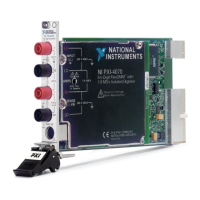
NI PXIe-4136/4137
Single-Channel System Source Measure Unit (SMU)
Note Before you begin, install and configure your chassis and controller.
This document explains how to install, configure, and test the NI PXIe-4136/4137
(NI 4136/4137). The NI 4136/4137 is a single-channel system source measure unit (SMU).
To access NI 4136/4137 documentation, navigate to Start»All Programs»National
Instruments»NI-DCPower»Documentation.
Caution Do not operate the NI 4136/4137 in a manner not specified in this
document. Product misuse can result in a hazard. You can compromise the safety
protection built into the product if the product is damaged in any way. If the product
is damaged, return it to NI for repair.
Contents
Electromagnetic Compatibility Guidelines...............................................................................2
Safety Guidelines for Hazardous Voltages............................................................................... 2
Verifying the System Requirements......................................................................................... 2
Unpacking the Kit.....................................................................................................................3
Kit Contents.............................................................................................................................. 3
Other Equipment...............................................................................................................4
Preparing the Environment....................................................................................................... 4
Safety........................................................................................................................................ 5
Installing the Software.............................................................................................................. 5
System Safety Guidelines......................................................................................................... 5
Safety Guidelines for System Design and Implementation.............................................. 5
Safety Guidelines for System Operation.......................................................................... 7
Installing the NI 4136/4137...................................................................................................... 7
Configuring the NI 4136/4137 in MAX................................................................................. 10
Testing the Safety Interlock.................................................................................................... 10
Testing with an Application Development Environment................................................11
Testing with the NI-DCPower Soft Front Panel............................................................. 11
Programming the NI 4136/4137............................................................................................. 12
Troubleshooting...................................................................................................................... 12
What Should I Do if the NI 4136/4137 Doesn't Appear in MAX?.................................12
Why Is the ACCESS LED Off When the Chassis Is On?.............................................. 13
Where To Go Next.................................................................................................................. 14
Worldwide Support and Services............................................................................................14

Question and Answer IconNeed help?

Do you have a question about the National Instruments PXIe-4136 and is the answer not in the manual?

Summary

Electromagnetic Compatibility Guidelines

Safety Guidelines for Hazardous Voltages

Verifying the System Requirements

Unpacking the NI PXIe-4136;4137 Kit

NI PXIe-4136;4137 Kit Contents

Required and Optional Equipment

Preparing the Operating Environment

General Safety Precautions

Installing the NI Software

System Safety Guidelines

Safety Guidelines for System Design and Implementation

Outlines responsibilities and measures for safe system design, integration, and installation.

Safety Interlock System Integration

Mechanical Detection Switch Recommendations

Safety Guidelines for System Operation

Installing the NI 4136;4137 Hardware

Chassis Compatibility and Module Installation

Output Connector and Safety Interlock Wiring

Configuring the NI 4136;4137 in MAX

Testing the Safety Interlock

Testing with Application Development Environments

Testing with NI-DCPower Soft Front Panel

Programming the NI 4136;4137

Troubleshooting Common Issues

Resolving MAX Device Detection Issues

Troubleshooting the ACCESS LED Status

Where to Find Additional Resources

Worldwide Support and Services Information

Overview

The NI PXIe-4136/4137 is a single-channel system source measure unit (SMU) designed for use within a PXI Express chassis. This device is intended for various applications requiring precise sourcing and measurement capabilities.

Function Description:

The NI PXIe-4136/4137 serves as a versatile instrument for both sourcing and measuring electrical signals. It is capable of generating hazardous voltages, making it suitable for applications that require high voltage operation. The device integrates into a PXI Express system, leveraging the modularity and performance benefits of that platform. Its core function involves providing controlled voltage or current outputs while simultaneously measuring corresponding electrical parameters, such as voltage, current, and resistance. This dual capability makes it ideal for characterizing a wide range of devices under test (DUTs).

Usage Features:

The NI PXIe-4136/4137 offers several features to facilitate its use in various test and measurement setups.

  • Software Installation: To begin using the device, users must install the necessary NI software, which includes an Application Development Environment (ADE) like LabVIEW or LabWindows/CVI, and the NI-DCPower driver software. The installation process is straightforward, typically involving inserting the driver media and following on-screen prompts. Administrative privileges are required for software installation.
  • System Configuration: After software installation, the device needs to be configured using Measurement & Automation Explorer (MAX). MAX allows users to identify the installed NI hardware, assign device identifiers, and perform a self-test to verify basic hardware resources. This step is crucial for ensuring the device is correctly recognized and ready for operation within the system.
  • Physical Installation: The physical installation involves inserting the module into a supported PXI Express slot within a chassis. Before installation, users must ensure the AC power source is connected to the chassis for grounding and protection. The chassis should be powered off, and the slot pins inspected for damage. The module is then guided into the slot, and the ejector handle is latched to secure it. Front panel mounting screws are used to further secure the device, which also improves signal quality and electromagnetic performance. Empty slots should be covered with filler panels to optimize cooling airflow.
  • Output Connector and Cable Preparation: Proper grounding of the output connector and cable is essential. This involves opening the output connector assembly, exposing the cable ground shield, and clamping it down using strain relief. The cable drain wire must be tied to the grounding screw, and care must be taken to ensure no exposed wiring in critical regions. Once prepared, the output connector assembly is connected to the device.
  • Safety Interlock System: A critical safety feature of the NI PXIe-4136/4137 is its safety interlock circuit. This system places the device outputs in a safe state when activated, regardless of the programmed state. It requires mechanical detection switches to be installed, which open the interlock circuit when an operator attempts to access the test fixture, disabling hazardous voltage ranges. The interlock circuit must be closed for hazardous voltage ranges to be enabled. Users are cautioned not to short the interlock pins directly and to avoid applying external voltage to the interlock connector inputs, as it is designed for passive normally open contact closure connections only.
  • Programming Options: The NI PXIe-4136/4137 can be programmed using the NI-DCPower Soft Front Panel (SFP) for interactive control and data presentation, or through the NI-DCPower instrument driver within ADEs like LabVIEW, LabWindows/CVI, or Microsoft Visual C/C++. The SFP provides a user-friendly interface for basic operations, while the instrument driver offers comprehensive control for developing custom applications.
  • Environmental Requirements: The device is designed for indoor use and has specific operating and storage environmental requirements, including temperature, humidity, and altitude limits. These conditions must be met to ensure proper operation and longevity of the device.

Maintenance Features:

Maintaining the NI PXIe-4136/4137 involves several practices to ensure its continued safe and reliable operation.

  • Periodic Safety Interlock Testing: To ensure safe operation, the safety interlock system must be periodically tested for proper functionality. The recommended interval is at least once per day of continuous usage. This involves a specific test procedure that verifies the interlock's ability to transition the device to a safe state when an access point is opened and to a hazardous voltage-enabled state when closed. If the device fails this test, its use should be discontinued, and NI service contacted.
  • Pre-use Inspection: Before each use, it is important to inspect connectors, cables, switches, and test probes for any signs of wear or cracking. Damaged components should be replaced to prevent safety hazards and ensure accurate measurements.
  • Discharging Components: Before touching any connections to the high terminal or high sense of the NI PXIe-4136/4137, all components connected to the measurement path must be discharged. Verification with a Digital Multimeter (DMM) is recommended before interacting with connections to prevent electrical shock.
  • Handling Precautions: To prevent damage from electrostatic discharge (ESD) or contamination, the device should always be handled by its edges or metal bracket. Exposed pins of connectors should never be touched. If the device appears damaged in any way, it should not be installed and should be returned to NI for repair.
  • Troubleshooting: The manual provides troubleshooting guidance for common issues, such as the device not appearing in MAX or the ACCESS LED being off. These steps involve checking physical connections, refreshing MAX, and performing self-tests. If issues persist, contacting NI technical support is recommended.
  • Software Updates: Keeping the NI-DCPower driver software and ADEs updated is important for optimal performance and access to the latest features and bug fixes.
  • Documentation and Support: Access to comprehensive documentation, including specifications and help files, is crucial for understanding the device's capabilities and proper usage. NI offers worldwide support and services, including technical support, repair, extended warranty, and calibration services, accessible through their website. Product registration is encouraged to facilitate technical support and receive important updates.

National Instruments PXIe-4136 Specifications

General IconGeneral
TypeSource Measure Unit (SMU)
Number of Channels1
ConnectivityPXI Express
PXI PlatformPXI Express
InterfacePXI Express
Operating Temperature Range0 °C to 55 °C
Voltage Programming Accuracy0.02% + 5 mV
Voltage Measurement Accuracy0.02% + 5 mV
Isolation60 V
Storage Temperature Range-20 to 70 °C
Relative Humidity10% to 90% noncondensing

Related product manuals