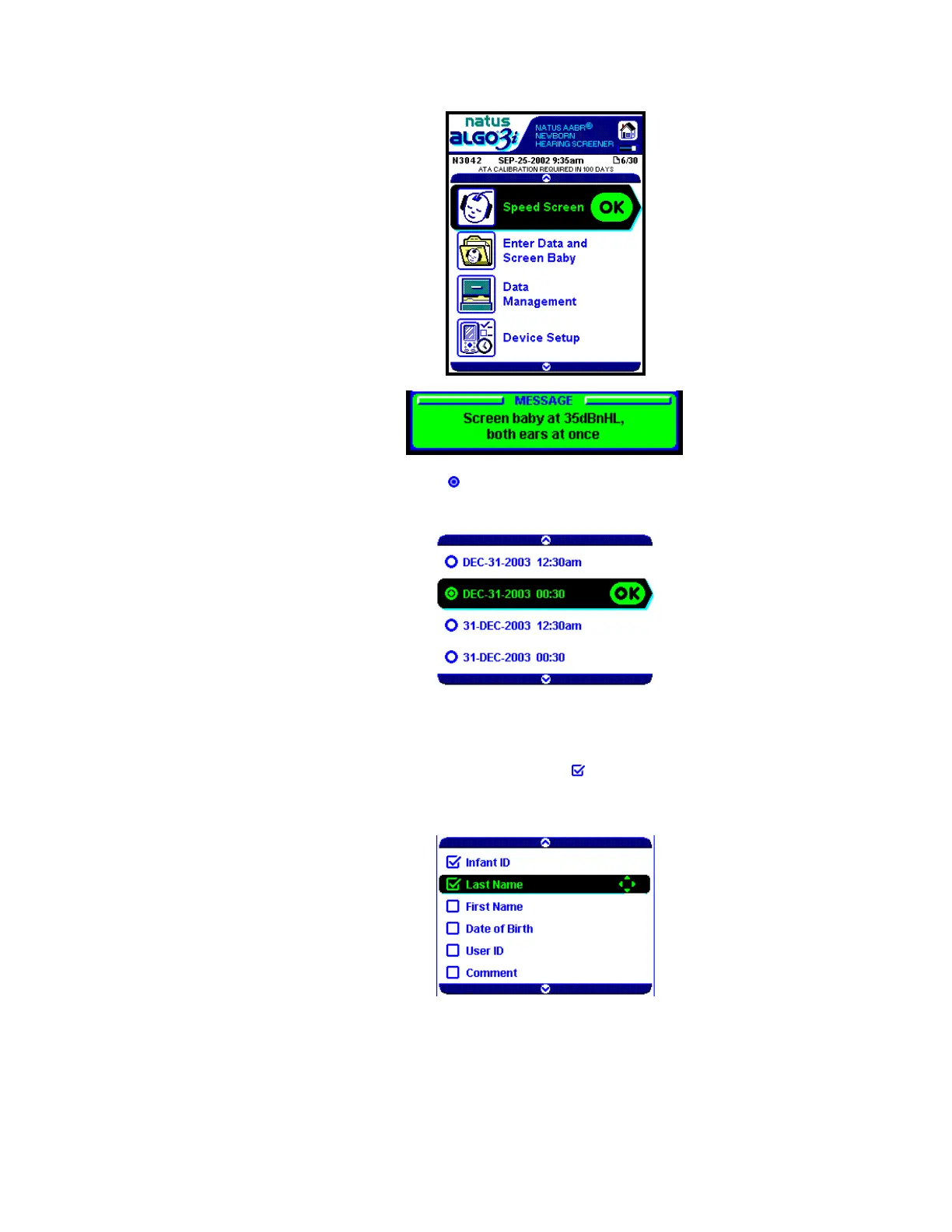
Example of a
Message Box
Single-choice options are indicated by a
. See illustration below.
You will always use the up/down arrow keys to scroll through the options and press the OK
key to select one.
A few options within the ALGO 3i screener are multi-choice options, meaning the user may
select more than one at a time.
Multi-choice options are indicated by a toggle key symbol . See illustration below.
In this case, the black select bar indicates use of the toggle keys to select or deselect the
desired option set. Use the OK key to save your option set.
Data Entry in the ALGO 3i Device
Data is entered into the ALGO 3i screener by using the up/down toggle key to scroll through
a keypad containing the numbers 0–9, the Roman character alphabet A–Z,
a blank space, ‘+’, ‘-’,
Natus Medical • www.natus.com Page 3 of 12 P/N 051179E



 To Next Page
 Loading...