EasyManua.ls Logo

natus neoBLUE - Service Manual

natus neoBLUE
62 pages
Print Icon
To Next Page IconTo Next Page
Loading...
Service Manual

Table of Contents

Other manuals for natus neoBLUE

Questions and Answers

  • M
    michellehernandezAug 20, 2025
    How to troubleshoot if the Natus Medical Equipment light doesn't turn on?
    • C
      Calvin KennedyAug 20, 2025
      If the light on your Natus Medical Equipment doesn't turn on, several issues could be the cause. First, ensure the AC outlet is working and the power switch is in the ON (|) position. Check that the power cord is fully plugged in and not defective. Also, inspect the power entry module for blown fuses. Damaged cables, AC power entry module, or power supply could also be responsible; verify the voltage output. If these steps don't resolve the issue, the LED light current assembly might be damaged.
  • G
    Glenn DavisAug 22, 2025
    How to fix light intensity if it will not adjust on natus neoBLUE?
    • K
      Kenneth RiveraAug 22, 2025
      If the light intensity on your Natus Medical Equipment won't adjust, it could be due to a damaged LED light current assembly. Also, make sure you haven't reached the maximum trim position of the intensity adjustment potentiometer. If the desired intensity is still not achieved, consider replacing the LED light panel.
  • J
    Janet TorresAug 25, 2025
    What to do if the enclosure fan is not working on natus neoBLUE?
    • C
      collin48Aug 25, 2025
      If the enclosure fan on your Natus Medical Equipment is not working, first check if anything is jammed in the fan. Then, open the device and ensure the fan cable is securely plugged in. Damaged cabling or a lack of power could also be the issue; verify the voltage between pins 1 and 4 of J2 using a DVM.
  • S
    Suzanne ZimmermanAug 26, 2025
    How to troubleshoot a subplate fan that is not working on natus neoBLUE?
    • C
      Cindy EstradaAug 26, 2025
      If the subplate fan on your Natus Medical Equipment is not working, open the device and check for any jammed or broken parts within the fan. Also, ensure the fan blades haven't separated from the housing. Verify that the fan cable is securely plugged in. Finally, confirm that the red and blue wires are securely fastened to the plus and minus contacts on the power supply.
  • J
    Jill RayAug 27, 2025
    What to do if natus neoBLUE will not move on the roll stand?
    • M
      Michele HodgeAug 27, 2025
      If your Natus Medical Equipment unit won't move on the neoBLUE roll stand, the casters might be locked. Make sure that all five casters are unlocked.
  • A
    Amanda DurhamAug 29, 2025
    What to do if some LEDs are not lit on natus neoBLUE?
    • A
      Anthony HaleAug 30, 2025
      If some LEDs on your Natus Medical Equipment aren't lit, it might be because one LED has burned out, causing six LEDs to go off. To resolve this, have a qualified technician test the intensity level and readjust the intensity potentiometers to achieve the desired output, if required.
  • M
    Margaret AguirreAug 31, 2025
    How to troubleshoot light not appearing on natus neoBLUE Medical Equipment?
    • C
      Cynthia MartinezSep 1, 2025
      If the light on your Natus Medical Equipment doesn't turn on, start by checking the power outlet to ensure it's working. Then, make sure the illuminated On/Standby switch is in the ON (|) position. Verify the power cord is fully plugged into the device socket, and try a different power cord if needed. Also, inspect the power entry module to confirm the fuses are intact. Damaged cables, AC power entry module, or power supply could also be the culprit. Check the cable continuity and verify the power supply is outputting 23.5-24.5V. If those steps don't resolve the issue, follow the troubleshooting steps for the LED light current assembly.
  • K
    Kayla CampbellSep 2, 2025
    What to do if light intensity will not adjust on natus neoBLUE Medical Equipment?
    • A
      anthonyloveSep 2, 2025
      If the light intensity on your Natus Medical Equipment won't adjust, first, ensure you haven't reached the maximum trim position of the intensity adjustment potentiometer. If the issue persists and you still cannot achieve the desired intensity, replace the LED light panel. You may also need to follow the troubleshooting steps for the LED light current assembly.
  • M
    Mrs. Monica HunterSep 4, 2025
    What to do if a patient becomes too warm using natus neoBLUE?
    • C
      Cynthia MitchellSep 4, 2025
      If a patient becomes too warm while using the Natus Medical Equipment, check if the vents are blocked. Also, verify that both the enclosure and subplate fans are functioning correctly.
  • B
    Bradley YoungSep 6, 2025
    Why is the diffuser on my natus neoBLUE excessively hot?
    • G
      grayvirginiaSep 6, 2025
      If the diffuser surface of your Natus Medical Equipment becomes hotter than 50 degrees Celsius, it could be due to a malfunctioning subplate fan. Verify that both the enclosure and subplate fans are working correctly and that the vents are not blocked.

Summary

Introduction

About this manual

Details the manual's content, intended users, and conventions.

Product description

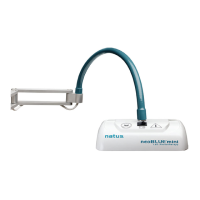
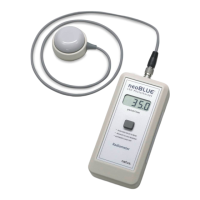
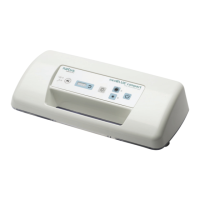
Describes the neoBLUE LED Phototherapy System components.

Pictorial introduction to the neoBLUE system

Provides visual references of the neoBLUE light and its parts.

Before you start

Highlights essential safety precautions, including ESD.

Contacting Natus Technical Support

Provides contact details for Natus technical assistance.

Routine Maintenance Procedures

Cleaning

Details procedures for cleaning the device enclosure and filters.

Safety testing

Outlines safety tests according to IEC and UL standards.

Performance Verification

Describes tests to verify the UUT's operational performance.

Adjusting light intensity

Explains how to adjust the light intensity using potentiometers.

Troubleshooting Guide

Troubleshooting the neoBLUE light

Addresses common issues and their probable causes and corrective actions.

Troubleshooting the LED light current assembly

Details troubleshooting steps for the LED light current assembly.

Repair procedures

Removing the light diffuser

Step-by-step guide to safely detach the light diffuser.

Removing the LED light panel

Procedure for carefully removing the LED light panel assembly.

Removing the subplate

Instructions for detaching the subplate from the enclosure.

Removing components from the subplate

Details on removing individual parts mounted on the subplate.

Replacing the subplate

Steps for replacing the subplate after component removal.

Removing components from the enclosure

Procedure for removing parts attached directly to the enclosure.

Parts and Specifications

How to order parts

Provides contact information for ordering replacement parts.

Parts in context

Shows how major components are assembled and fit together.

Parts list

A comprehensive list of all parts with item numbers, quantities, and part numbers.

Illustrations of major parts

Visual representations of main system components.

Accessory pack

Details the contents of the accessory pack, including manuals and CD.

Specifications

Lists technical specifications for light source, electrical, safety, and dimensions.

Technical Note on Photometers

natus neoBLUE Specifications

General IconGeneral
Wavelength450-470 nm
TypePhototherapy device
Light SourceLED
Safety FeaturesAutomatic shut-off, Over-temperature protection
Power SupplyAC power adapter
Treatment Surface Area50 cm x 30 cm

Related product manuals