To Next Page
K
Kendra MichaelOct 30, 2025
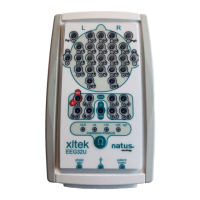
What to do if waveforms are still not appearing correctly on natus XLTEK EEG32U Medical Equipment?
- Ccolleen77Oct 30, 2025
If waveforms are still not appearing correctly, try the following: Ask the patient to relax, inspect your cables, ensure a tight connection between the headbox and the computer, verify patient electrodes are connected to the correct channel and fit properly into the headbox, and check for breaks in the electrode cables. Also, make sure that electrodes are not touching, and unplug other devices on the same circuit that may cause interference. Install a medical grade ground to ensure that your clinic has a properly grounded electrical system. Change the USB 2.0 cable and check the gain and timebase settings to ensure that they are appropriate for the current test. You may also want to check the LFF, HFF, and Notch filter settings. LFF filters out low-frequency interference. HFF filters out h...
 General