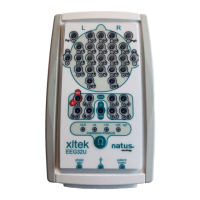
User and Service Manual XLTEK EEG32U Amplifier
27
Calibration and Verification
There is no need to calibrate the NeuroWorks Software or the EEG32U headbox. All calibration is done at
the factory before the system is shipped. To verify that the EEG32U headbox system is correctly
calibrated, perform the following procedure:
1. Connect the EEG32U headbox to an XLTEK acquisition station and turn the system on.
2. Start XLTEK Database (XLDB).
3. To start a new study, click New.
4. Choose Edit > Settings > Acquisition.
5. In the Acquisition tab, set the Reference Electrode to Common.
6. Design a bipolar montage using pairs of the channels to be verified. For example, to verify C3,
C4, O1 and O2, use a montage with C3-C4 and O1-O2.
7. Apply a sine wave of 50 microvolts, peak-to-peak amplitude, 10 Hz to all channels of the group
using a signal generator. Ensure that there is a 50 Ohm load on the generator output if the
generator is designed to deliver the specified level into this load.
8. Set the LFF filter to 0.1, the HFF filter to OFF, and the Notch filter to OFF.
9. Verify that no sine wave is greater than 50 microvolts peak-to-peak. The accuracy of the gain is
+/- 1%.
Channel Test
While you are working in the NeuroWorks live recording screen, a channel test may be performed to
verify the integrity of the signal processing from the amplifier input through to the display. A channel test
applies a test signal to all channels. This allows you to examine the waveforms on the screen to see if all
of the channels are functioning.
To Run a Channel Test
1. In NeuroWorks EEG, choose Edit > Settings. The Edit Settings box appears.
2. To open the Acquisition dialog box, click the Acquisition tab.
3. Select Common in the Reference Electrode list box and click OK.
4. Choose Controls > Channel Test Signal. The Channel Test control bar appears above the
waveform window.
5. Use the Channel Test toolbar to select the desired wave shape, amplitude, and frequency.
6. To stop the channel test, click Done.
Channel Test Signal Control
The Channel Test Signal control in NeuroWorks EEG turns on the channel test signal according to the
last settings saved and displays the Channel Test Signal toolbar. The toolbar has controls for shape,
amplitude and frequency.


 To Next Page
 Loading...