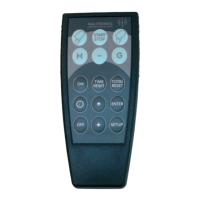
NG08 Standalone
Shot Clocks PAN ID
1. NG08 Standalone Shot Clocks PAN ID.
This instruction describes how the DIP-switches are accessed and set in the Shot Clocks and
Naucom-20 to edit the PAN ID, if multiple Standalone Shot Clocks must function in one arena,
without disturbing each other.
1.1 How to locate the DIP-Switches in the Shot Clock.
1. Remove the AFDL see-through
Cover plate.
2. Unscrew the two screws in the
bottom of the NGI-85.
3. Pull out the NGI-85.
4. Locate the 3 DIP-Switches in the
top left corner of the NGI-85.
1.2 How to locate the DIP-Switch in the Naucon-20.
1. Remove the battery cover.
2. Unscrew the four screws on the
back of the Naucon-20.
3. Remove the Back cover.
4. Locate the DIP-Switch in the top
left corner of the Naucon-20.
63


 To Next Page
 Loading...