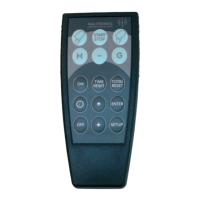
Description of Naucon-1000
test menus
Test Menus Naucon-1000
Board info
To enter the Board info menu press:
’Menu’ -> ’Exit Sport’ -> ’General Setup’ -> ’Board Info’
Diagnostic menu.
The Diagnostics menu can be entered by pressing the desired address button in the Board info menu,
example 11 on the display. The Naucon-1000 will enter a Diagnostic menu where all information of the
Scoreboard is available.
When the Diagnostic menu is opened, the Scoreboards address will be shown in the Home score, Zone in
the Guest score and the software version in the Game time/Day time clock digits.
Diagnostic menu explained:
12VAC supply for the NGMCB.
24VAC supply for the NGMCB
NGP-85 24V supply. NGP-85 is not mounted in all Scoreboards.
Relay mounted in the NGP-85. NGP-85 is not mounted in all Scoreboards.
NG-DCF receiver. DCF77 receiver is optional.
6


 To Next Page