69
2.5 NFC-H System
For more information about external recirculation mode and DIP
switch settings, refer to the NFC-H Installation & Operation Manual.
2.5.1 Setting the DHW Operation
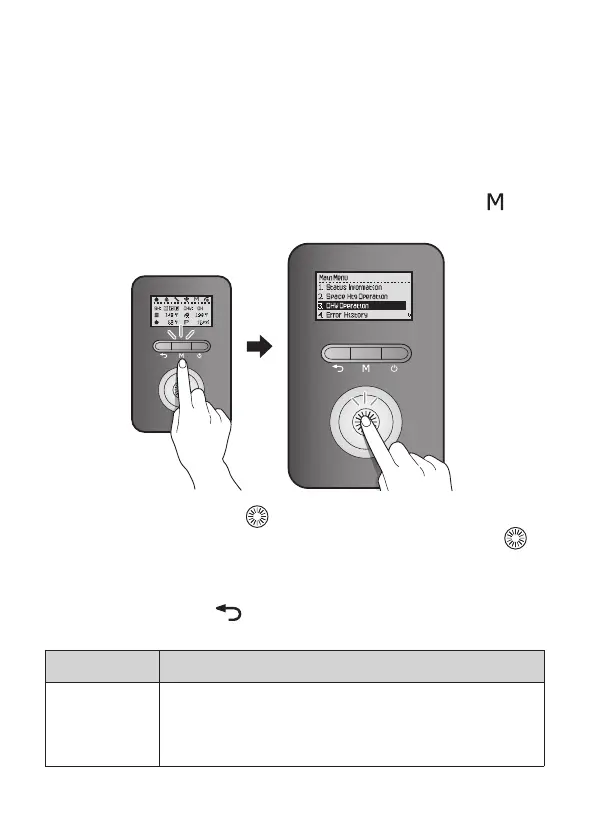
To set the boiler’s DHW operation, press the Menu button ( ),
and then select “3. DHW Operation”.
Rotate the Command dial ( ) to switch between the list items or
to increase/decrease setting values. Press the Command dial (
)
to select an item or to conrm after making changes.
Press the Back button (
) to return to the previous screen or
menu.
Item Description
1. DHW Set
Temp
Set the hot water temperature (°F).
●
Setting range: 86 - 140°F (30 - 60°C)
●
Default: 122°F (50°C)


 To Next Page
 Loading...