Need help?
Do you have a question about the Navitel R480 2K and is the answer not in the manual?
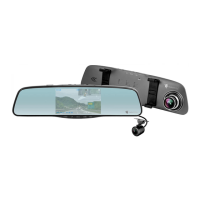
Identifies all physical components and buttons of the NAVITEL R480 2K DVR.
Lists all items included in the NAVITEL R480 2K product box.
Instructions for installing the rear camera and routing its cable.
Instructions on formatting the microSD card for optimal device operation and data integrity.
Details on how to start, stop, and save video recordings automatically.
Instructions for taking still photos while the DVR is in recording mode.
Information on enabling or disabling the audio recording feature during video capture.
Procedure to protect current recordings from being overwritten or deleted.
Explanation of continuous recording and management of files when the memory card is full.
Details on the parking monitor function, G-sensor activation, and emergency file writing.
 General
| Product color | Black |
|---|---|
| GPS (satellite) | No |
| Number of cameras | 2 |
| Video loop recording | Yes |
| Main camera resolution | 2560 x 1440 pixels |
| Main camera viewing angle | 160 ° |
| Video compression formats | MOV |
| Display diagonal | 2 \ |
| Output current | 1.5 A |
| Output voltage | 5 V |
| Battery capacity | 150 mAh |
| Power source type | Battery |
| Compatible memory cards | MicroSD (TransFlash) |
| Maximum memory card size | 256 GB |


 To Next Page