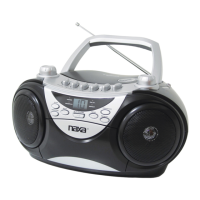
4
REMOTECONTROLOPERATION
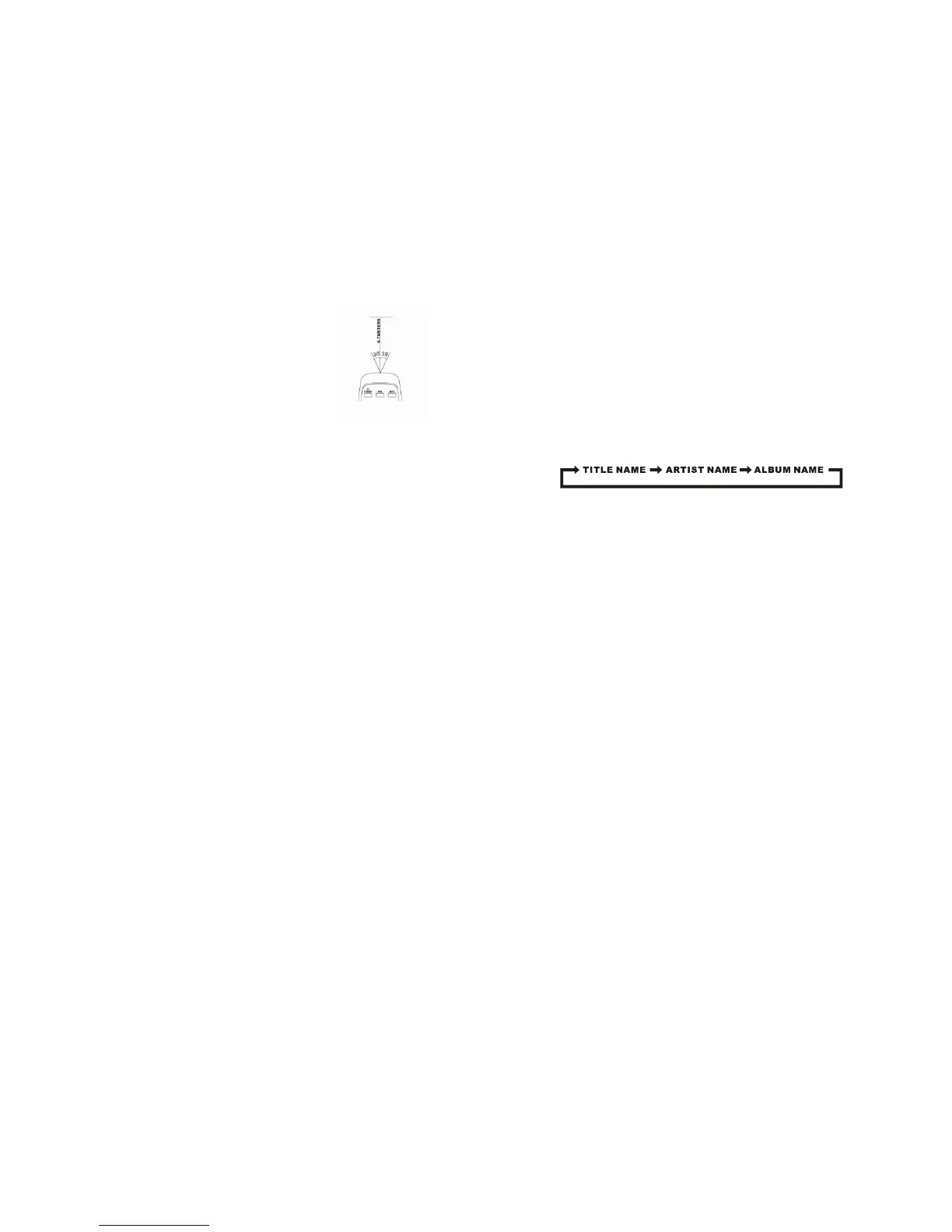
Tooperatetheunitwiththeremotecontrol,pointtheremotetransmitter[19]
oftheremotecontrolattheIRsensoronthefrontdisplaypaneloftheunit.
Pressthebuttonsontheremotecontroltouseit.Theremoteworksbestata
distanceofnofurtherthan
20to23feetandwithin30degreestoeitherside
ofthesensor.Brightsunlightorotherlightingconditionsintheroomcan
interferewiththeremotecontrol.Ifremoteoperationisunsatisfactoryor
stopsworkingentirely,tryusinganewbatteryintheremoteortrydarkening
theroom.
POWERSOURCE
ThisunitisdesignedtooperateonACorDCelectricalsystems.
ACOPERATION
PlugoneendofthepowercordintotheACpowerinputontheunit;plugtheotherendintoa
householdACoutlet.(BatteryoperationwillbedisabledautomaticallywhenACpowerisused).
DCOPERATION
OpentheBATTERYDOOR[26]onthebottomoftheunit.Load8piecesofUM‐1/Dsizebatteries(not
included)intothecompartment,takingcaretomatchthe+/–polaritiesmarkedinsidethe
compartment.
CAUTION:
Removebatteriesiftheyareemptyornotbeingusedforalongperiodof
time.
Batteriescontainchemicalsubstancesandshouldbedisposedofproperly.
Checkyourlocalregulationsbeforethrowingbatteriesinthetrash.
BASICFUNCTION
TURNINGTHEUNITON/OFF
PressthePOWERbutton[18]toturntheunitonoroff.
SETTINGTHEFUNCTIONMODE
Thereare5functionmodes;presstheFUNCTIONbutton[4]tochangemodes.The5modesare:
TUNER:ListentoAMorFMradiobroadcasts.
CD:Playcompactdiscs(CD‐audioorCD‐MP3).
USB:PlayMP3sfromUSBmemorysticks.
BT(Bluetooth
®
):StreamaudiofromwirelessplayerswithBluetooth
®
.
AUX:PlayaudiofromdevicesconnectedtotheAUXinputjack.
Thecurrentfunctionmodewillbeshownonthedisplay[19]whenyouturnontheboombox.
ADJUSTINGTHEVOLUME
RotatetheVOLUMEdial[9]ontheunittoincreaseordecreasevolume.Youmayalsousetheremote
controltoadjustthesystemvolume.
5
EQUALIZER(EQ)FUNCTION
PresstheEQ/LIGHTbutton[8]duringplaybacktochangeequalizerpresets.Thepresetsare:FLAT,
CLASSIC,ROCK,POP,JAZZandDBBS(bassboost).
Chooseapresetthatbestmatchesthestyleofmusicthatisplaying;thepresetshavebeencalibrated
toenhanceyouraudioenjoyment.
ID3(showtag)System
SomeMP3filesareencodedwithinformationsuchasthenameoftheartist,thetitle,andthealbum.
Together,thisinformationiscalledan"ID3tag".
PresstheBAND/ID3button[12]toturntheID3tagdisplayonoroff.WhentheID3tagdisplayison,
theunitwill
displaytaginformationintheordershownbelow.
HEADPHONEJACK
TouseheadphoneswithyourBoombox,lowerthevolumebeforeconnectingthemtothe3.5mm
headphoneinputjack[11].Onceconnected,slowlyadjustthevolumetoacomfortablelevel.
Thespeakerswillbedisabledwhenheadphonesareconnected.
CAUTION:LISTENINGWITHHEADPHONESATHIGHVOLUMELEVELSMAY
CAUSEPERMANENTHEARING
LOSS.
PARTYLIGHT
PressandholdtheEQ/LIGHTbutton[8]toturnthelightsofforon.
RADIOOPERATION
ListentoAMorFMradiobroadcasts.PresstheFUNCTIONbutton[4]untilthedisplay[19]reads
TUNER.
PresstheBAND/ID3button[12]toselecttheAMorFMband.
TooptimizereceptionwhenlisteningtostationsontheFMband,extendthe
telescopicantennatoitsfulllength.
TooptimizereceptionforAMbandstations,
gentlymovetheunitaround,orpositiontheunitinanopenplace.
TUNINGTOARADIOSTATION
Ifyouknowthestationfrequencythatyouwanttotunetodirectly:
TunetoastationbyrotatingtheTUNINGdial[17].Thestationfrequencyisshownon
thedisplay[19].
Totunetoapresetstation:
Totunetothenextpresetstation,presstheMEM/DIR/10+button[6].
Totunetothepreviouspreset,presstheMEM/DIR/10–button[5].


 To Next Page
 Loading...