Page 8 Naxa Electronics
The current function mode will be shown on the display
[1] when you turn on the boombox.
The unit will automatically switch to AUX
mode when a 3.5mm AUX cable is connect-
ed to the AUX input jack [8]. Disconnect the
cable to exit AUX mode.
Adjusting the Volume
Turn the VOLUME dial [20] on the unit to increase or
decrease volume. You may also use the remote control
to adjust the system volume.
Equalizer (EQ) Function
Press the EQ button [25] during playback to change
equalizer presets. The presets are: FLAT, CLASSIC,
ROCK, POP, JAZZ, and 3D.
Choose a preset that best matches the style of music
that is playing; the presets have been calibrated to en-
hance your audio enjoyment.
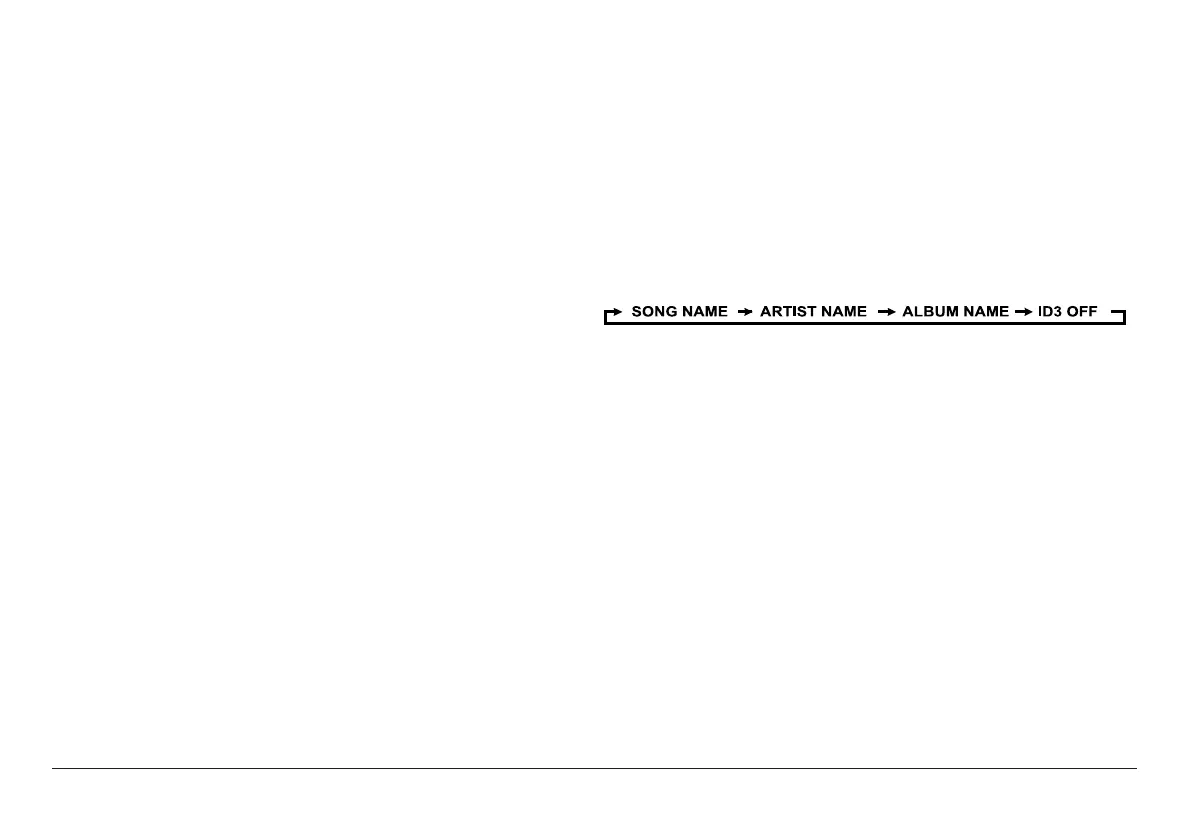
ID3 (show tag) System
Some MP3 les are encoded with information such as
the name of the song, the artist, and the album. To-
gether, this information is called an “ID3 tag”.
Press the ID3 button [23] to cycle through which infor-
mation to display when playing an MP3 le, or choose
not to show any ID3 information at all.
Headphone Jack
To use headphones with your Boombox, lower the vol-
ume before connecting them to the 3.5mm Headphone
jack [17]. Once connected, slowly adjust the volume to a
comfortable level. The speakers will be disabled when
headphones are connected.
ѥ
Caution: Listening with headphones at high
volume levels may cause permanent hear-
ing loss.


 To Next Page