2 3
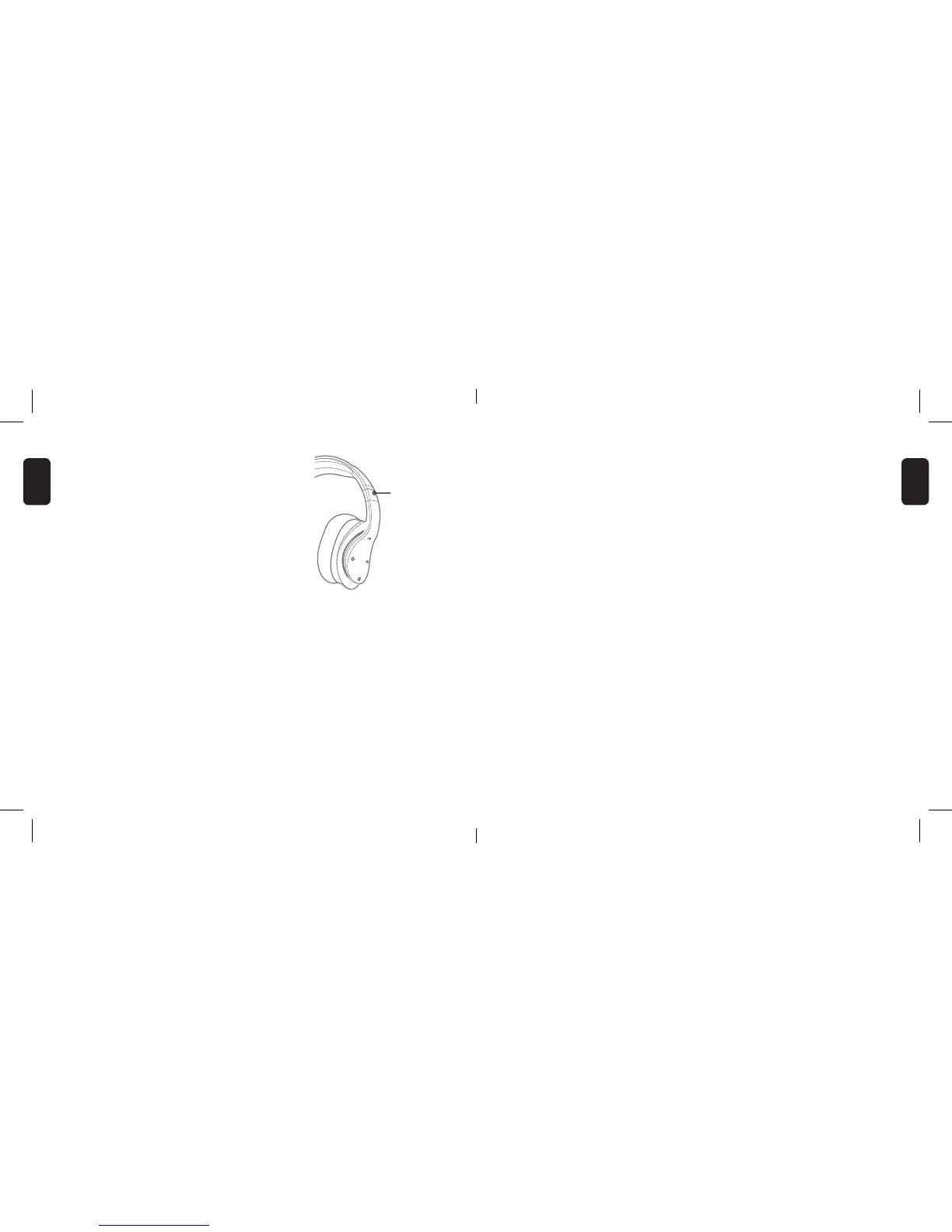
GETTING THE RIGHT FIT
You can adjust the NCredible AX1 Headphones
by pulling up or down on the headband until
you nd a comfortable t on your ears.
CONNECTING/BLUETOOTH PAIRING
1. Make sure Bluetooth is turned ON on
your device.
2. Press and hold POWER button for 8 seconds
to enter pairing mode. The LED light will
rapidly ash blue and red when pairing.
3. Select “NCredible AX1” from the list of
found devices.
4. When paired, the LED slowly ashes blue.
PAIRING TROUBLESHOOTING
1. When performing the pairing on a Bluetooth device to detect
the headphones, enter 0000 if your device prompts you for a
password during the pairing process.
2. If the pairing is not successful, turn off the headphones and
perform the pairing connection according to the Bluetooth
Pairing steps on the previous page.
NOTE: To clear/stop the pairing, hold the volume up/down button
for 5 seconds and try again.
Adjustable
ENGLISH
ENGLISH


 To Next Page