8 9
COMPATIBILITY
The ear cup controls only work in Bluetooth mode. Functions
may vary depending on your device’s compatibility:
• iOS and Android smartphones with Bluetooth
• Laptops, tablets and MP3 players with Bluetooth
LISTENING SAFELY
Do not wear headphones while driving a vehicle or cycling. This
can create a trac hazard and could be illegal in some areas.
To protect your hearing, do not listen at high volume. Extended
high-volume listening can lead to permanent hearing loss.
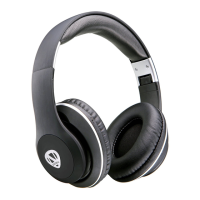
CHARGING YOUR NCREDIBLE AX1 HEADPHONES
1. Plug the Micro-USB charging cable into the port on the right
ear cup. Next, plug the USB-A connector into a USB wall
charger.
2. The LED light will be red during charging. When charging is
complete, the light will turn off.
NOTE:
1. When the headphones are fully charged, there will be no light.
2. When the power is low, the LED light will ash red.
3. When there is no Bluetooth connection, the headphones will
automatically turn off after 3 minutes.
ENGLISH
ENGLISH


 To Next Page