R9s Receiver HOW TO REGISTER ANTI-THEFT ALARM TH9s
TH9s
ANTI-THEFT ALARM
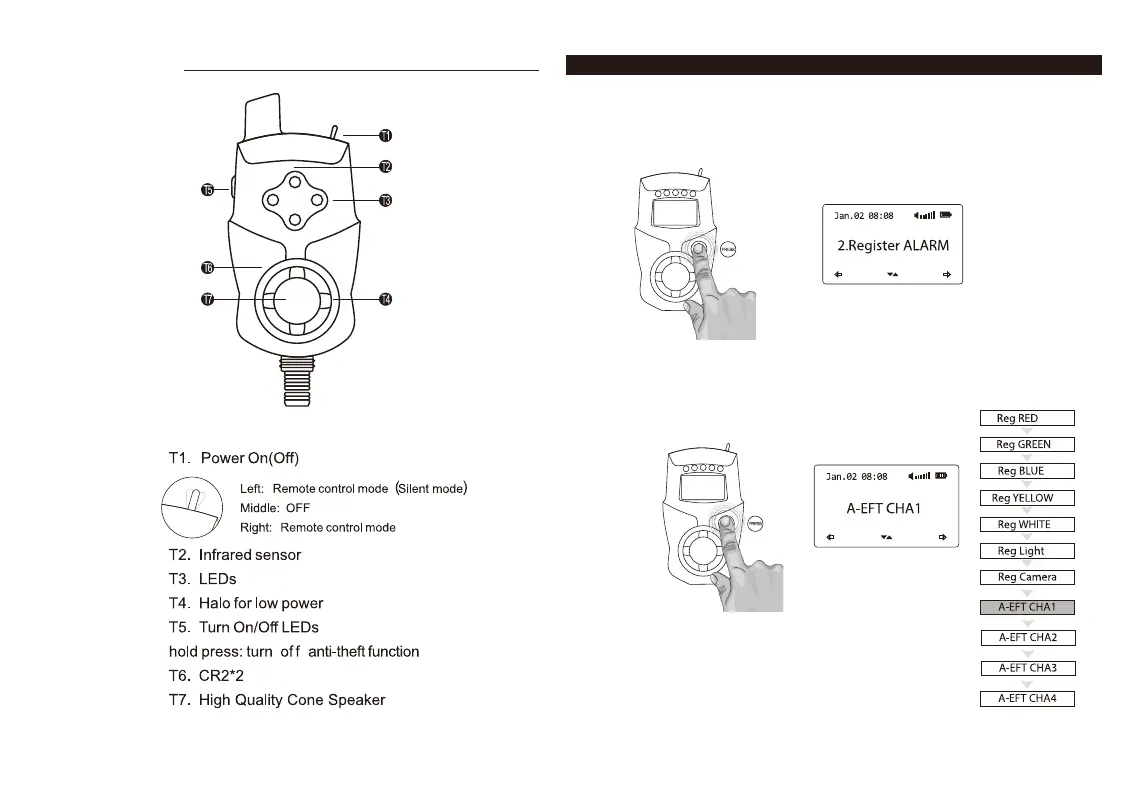
1. Turn on the R9s receiver.
2. Press the multi-function button on the receiver down and
hold it to enter system menu.
3. Scroll down and choose "Register Alarm" menu.
4. Choose one of the A-EFT channels (A-EFT CHA1, A-EFT CHA2, A-EFT CHA3,
A-EFT CHA4). We recommend to start with A-EFT CHA1. Press the button down
to select the channel.



 To Next Page