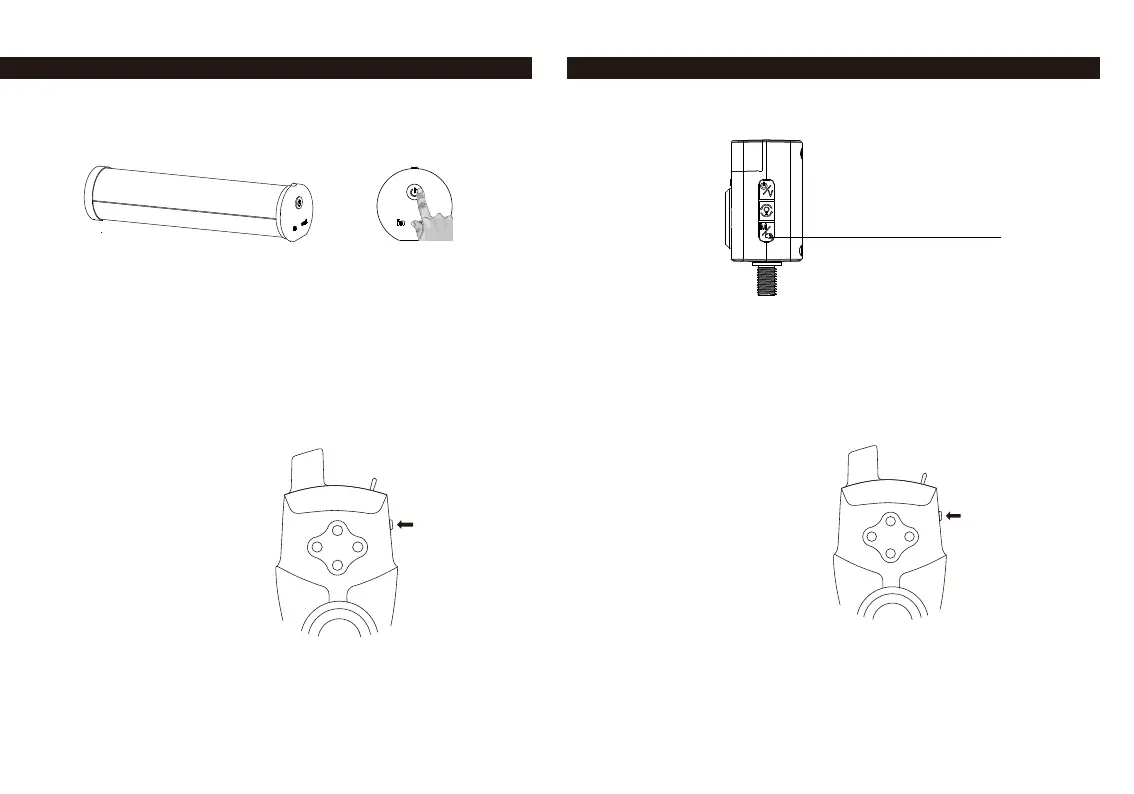
Bivvy Light HOW TO REGISTER ANTI-THEFT ALARM TH9s Air Light Sounder (ALS) HOW TO REGISTER ANTI-THEFT ALARM TH9s
Press
Press
Long press
5 seconds
1. Turn on the bivvy light.
2. Turn on the Anti-Theft Alarm
3. Double-click the button of the bivvy light; the light will ash red.
4. The ashing color indicates the channel. You can switch between
the channels by clicking on the button. You must select the purple channel.
5. As soon as the Bivvy light ashes in purple, press the button on the
TH9s Anti-Theft Alarm. Purple channel is the Anti-Theft channel.
6. The light will shortly ash when the operation was successful.
1. Turn on the ALS.
2. Turn on the TH9s Anti-Theft Alarm.
3. Enter register mode on the ALS: long press the M button until you hear a tone.
The LED on the ALS will ash red.
4. Press the button on the TH9s twice.
5. Registration was successful when the RED LED lights up.



 To Previous Page