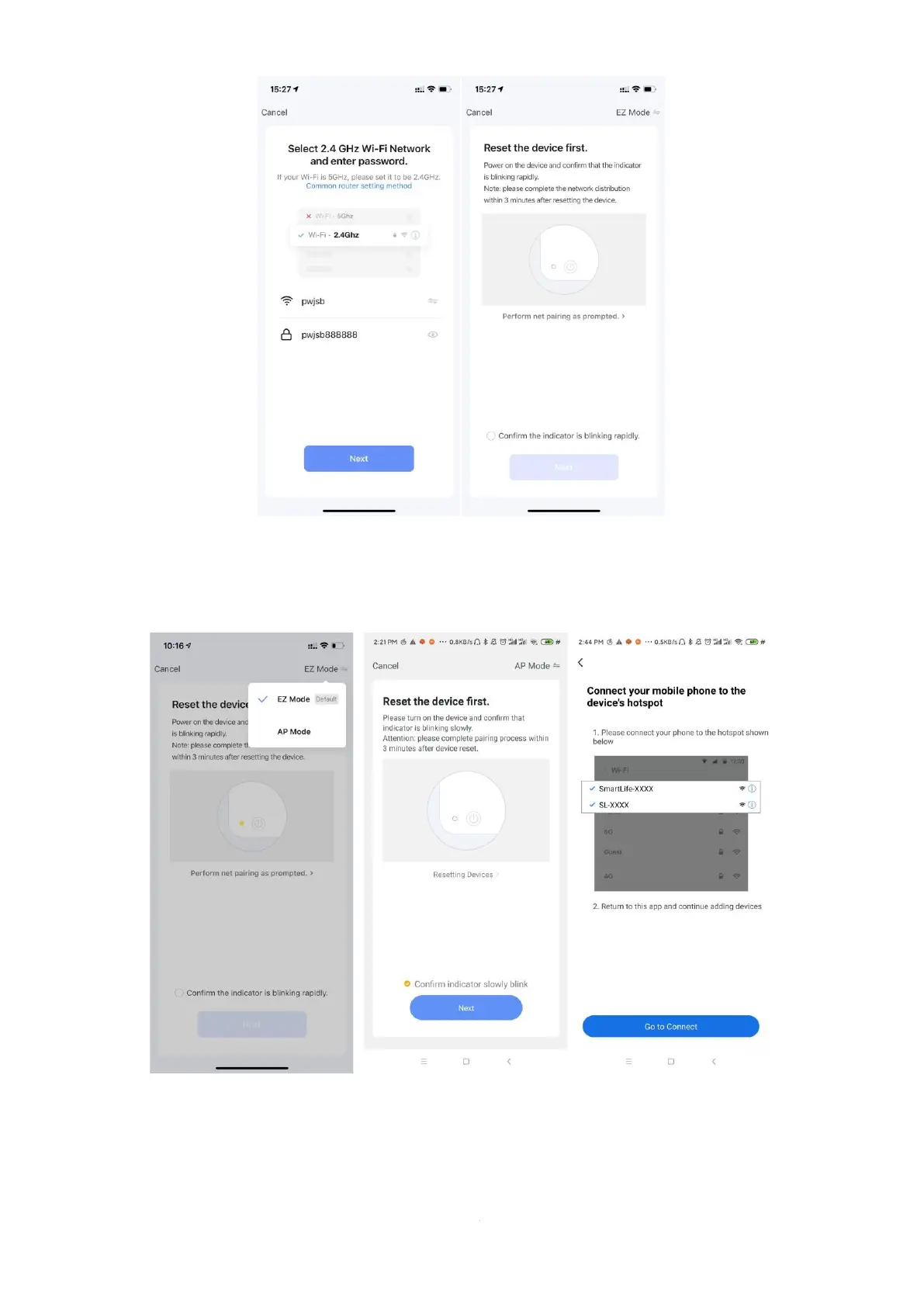
Click “EZ Mode” to switch to “AP mode”, Click “Confirm indicator slowly blink”, Click
“Next” And it pops up ”Connect your mobile phone to the device’s hotspot”, Click “go to connect.
Enter the Wi-Fi Connection interface, find and connected The desired Wi-Fi Hotspot,
For examples, as pic 1 ”Smartlife_3C4A,”, Click for Connection, APP will automatically enter
the device connection state;


 To Next Page