EasyManua.ls Logo

Neato Robotics BOTVAC D3 CONNECTED - User Manual

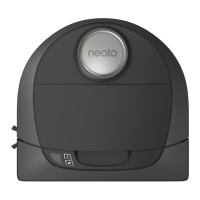
Neato Robotics BOTVAC D3 CONNECTED
52 pages
Print Icon
To Next Page IconTo Next Page
Loading...

Other manuals for Neato Robotics BOTVAC D3 CONNECTED

Questions and Answers

Neato Robotics BOTVAC D3 CONNECTED Specifications

General IconGeneral
RechargeableYes
Battery voltage14.4 V
AC input voltage110 - 220 V
Battery capacity- mAh
Noise level- dB
Wet mopping-
Number of brushes1
Dust capacity (total)- L
Floor surfaces supportedCarpet, Hard floor, Laminate, Linoleum, Tiles, Wood
Mobile operating systems supportedAndroid, iOS
ShapeD-shape
Product colorBlack
Weight and Dimensions IconWeight and Dimensions
Depth336 mm
Width319 mm
Height100 mm
Weight3400 g

Summary

Meet Your Neato Robot

Important Setup Precautions

Important safety and preparation guidelines to minimize risk and ensure optimal robot performance.

Start Button & LED Lights

INFO LED Indicators

Explanation of the Info LED light colors and their meanings for robot status and errors.

Preparation and Set Up

Initial Robot Charging

Instructions for the initial charging of the robot to ensure optimal performance.

Setting Up Robot Wi-Fi and Neato App

Robot Wi-Fi Connectivity

Using the Neato App

Maintaining Your Neato Robot

Dirt Bin and Filters Maintenance

Instructions for cleaning and maintaining the dirt bin and filters for optimal performance.

Brush Cleaning and Care

Guidance on cleaning and maintaining the robot's brushes and brush guard.

Sensor Cleaning Procedures

How to clean the robot's drop sensor windows and wall following sensor window.

Troubleshooting Guide

Battery LED Error Codes

Troubleshooting battery errors indicated by a blinking red Battery LED.

Info LED Error Codes

Troubleshooting maintenance or navigation issues indicated by a blinking red Info LED.

Troubleshooting (Continued)

Info LED Error Codes (Continued)

Further troubleshooting for Info LED errors, including navigation and environmental factors.

Neato App Connectivity Issues

Troubleshooting 'Robot Offline' messages in the Neato app related to Wi-Fi connection.

Related product manuals