
 Need help?
Do you have a question about the Neato Robotics D10 and is the answer not in the manual?
Essential guidelines to follow before proceeding with the Neato robot vacuum setup for optimal performance and safety.
Explains the meaning of different battery LED colors and behaviors for capacity and faults.
Details the Wi-Fi LED colors and behaviors indicating connection status to the network.
Describes the LED status of the play button indicating robot readiness, cleaning, errors, or pause.
Guidance on selecting a clear area and correctly placing the charge base for optimal Wi-Fi coverage.
Instructions for initial charging and understanding the auto recharge and resume functionality.
Details the capabilities of the MyNeato app and how to use it on multiple smartphones.
Explains the Eco and Turbo cleaning modes and their impact on cleaning performance and battery life.
Describes the Extra Care navigation feature for delicate furniture and its availability on specific models.
Step-by-step guide on how to start, pause, resume, and cancel cleaning jobs using the MyNeato app.
Warning and instructions on how to handle the robot if it needs to be moved during a cleaning cycle.
Learn how to create a floor plan map of your house for efficient cleaning and zone management.
Instructions on how to define and set up No-Go Zones within the MyNeato app to avoid specific areas.
Guide to setting up automated cleaning schedules with specific days, times, and cleaning modes.
How to find your Neato robot if it becomes stuck or stops in an unknown location.
Information on automatic robot updates and how to troubleshoot errors using the MyNeato app.
Instructions for manually cleaning an entire house or a single room using the robot's buttons.
Details the functions of the Play button and Info button for controlling the robot and accessing information.
Procedure for emptying the dirt bin, cleaning airways, and replacing the filter for optimal performance.
Instructions for monthly cleaning of the main brush and removing the side brush.
Guide on how to clean the top surface and laser area with a soft cotton cloth.
Instructions for cleaning the robot's drop sensors using a dry cotton swab.
 General
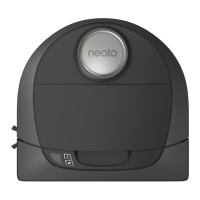
| Shape | D-shape |
|---|---|
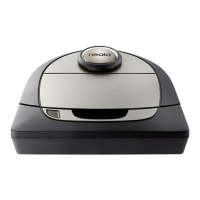
| Product color | Silver |
| Dust container type | Dust bag |
| Smartphone remote support | Yes |
| Brush type | Roller brush & Side brush |
| HEPA class | HEPA 13 |
| Noise level | - dB |
| Wet mopping | No |
| Number of brushes | 2 |
| Integrated sensors | Drop sensor |
| Number of programs | 6 |
| Vacuum air filtering | HEPA |
| Dust capacity (total) | 0.7 L |
| Base station functions | Charging |
| Floor surfaces supported | Carpet, Hard floor, Laminate, Linoleum, Parquet, Wood |
| Automatic base station return | - |
| Charging time | 5 h |
| Battery voltage | 14.4 V |
| Battery capacity | 6200 mAh |
| Package type | Box |
| Package width | 450 mm |
| Package height | 160 mm |
| Package weight | 5500 g |
 Weight and Dimensions
| Depth | 340 mm |
|---|---|
| Width | 330 mm |
| Height | 10 mm |
| Weight | 3700 g |






 To Next Page

