23
③
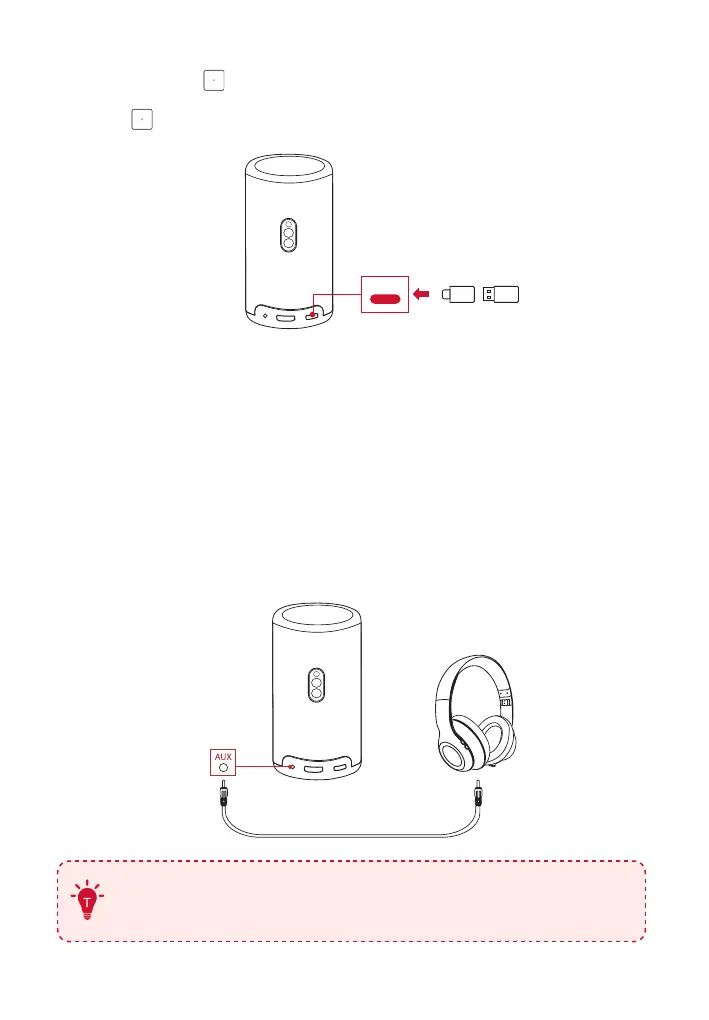
Select music, videos, or photos from the USB drive that you want to
play and press .
④
Press to stop playback.
USB-C
6. Play Through External Sound Devices
This projector can also be connected to external sound output devices,
including headphones and speakers; when connected to external
speakers, the built-in speaker system is disabled.
①
Use a 3.5 mm audio cable or an adapter (not provided) to connect
your headphones or external speakers.
②
Connect the other end of the cable to the AUX port on this projector.
• You will hear audio from your headphones or external speakers.
(Not included)
Before connecting headphones and putting them on, turn
down the volume to avoid hurting your ears.



 To Next Page