4-16
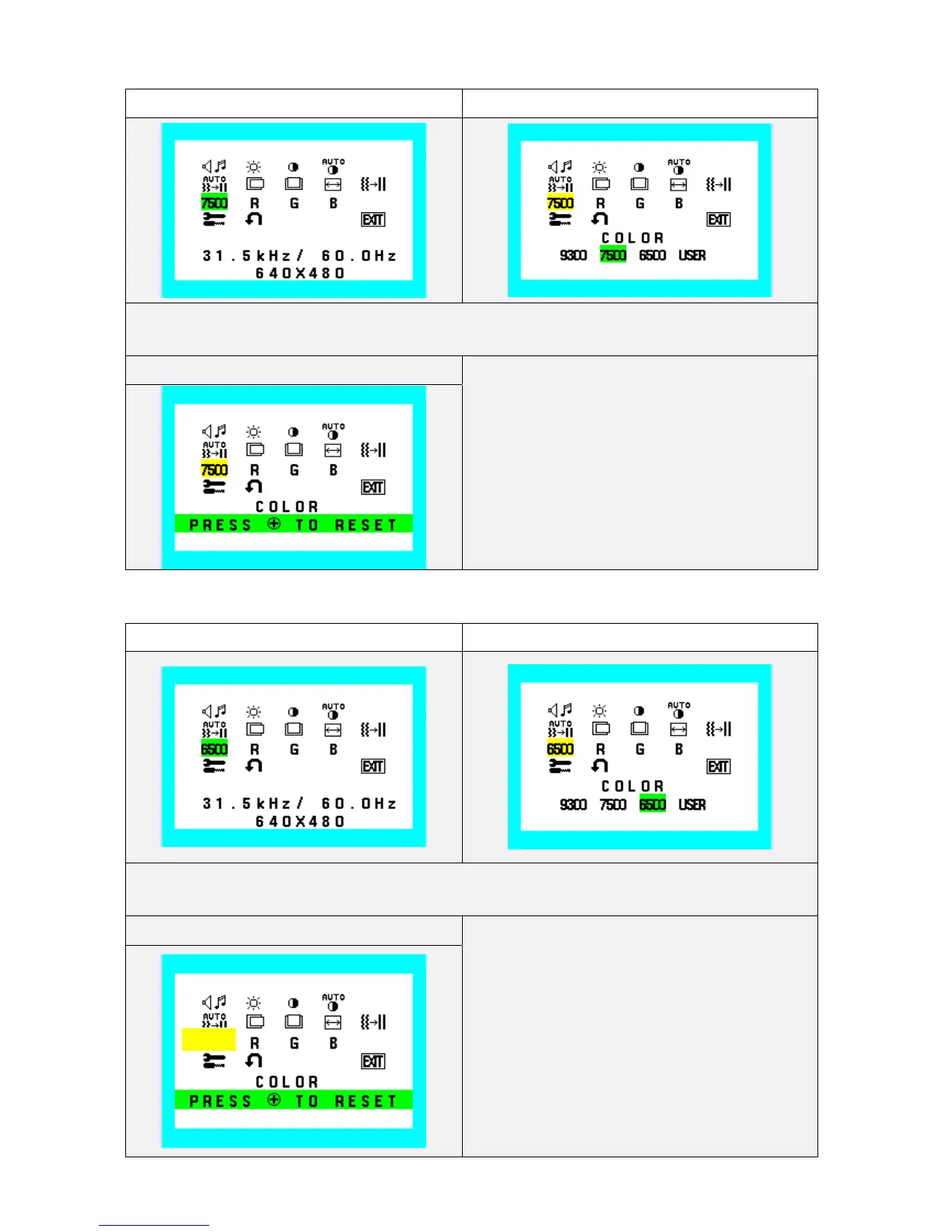
7500 Color select (Icon select) Color select (adjust)
During Color select function operate, Color select Icon and slide bar color is changed from Normal
condition.
Color select (Reset)
Reset: Color select / User R, G, B
6500 Color select (Icon select) Color select (adjust)
During Color select function operate, Color select Icon and slide bar color is changed from Normal
condition.
Color select (Reset)
Reset: Color select / User R, G, B
6500










 To Next Page