4-26
OSD Function –Short cut
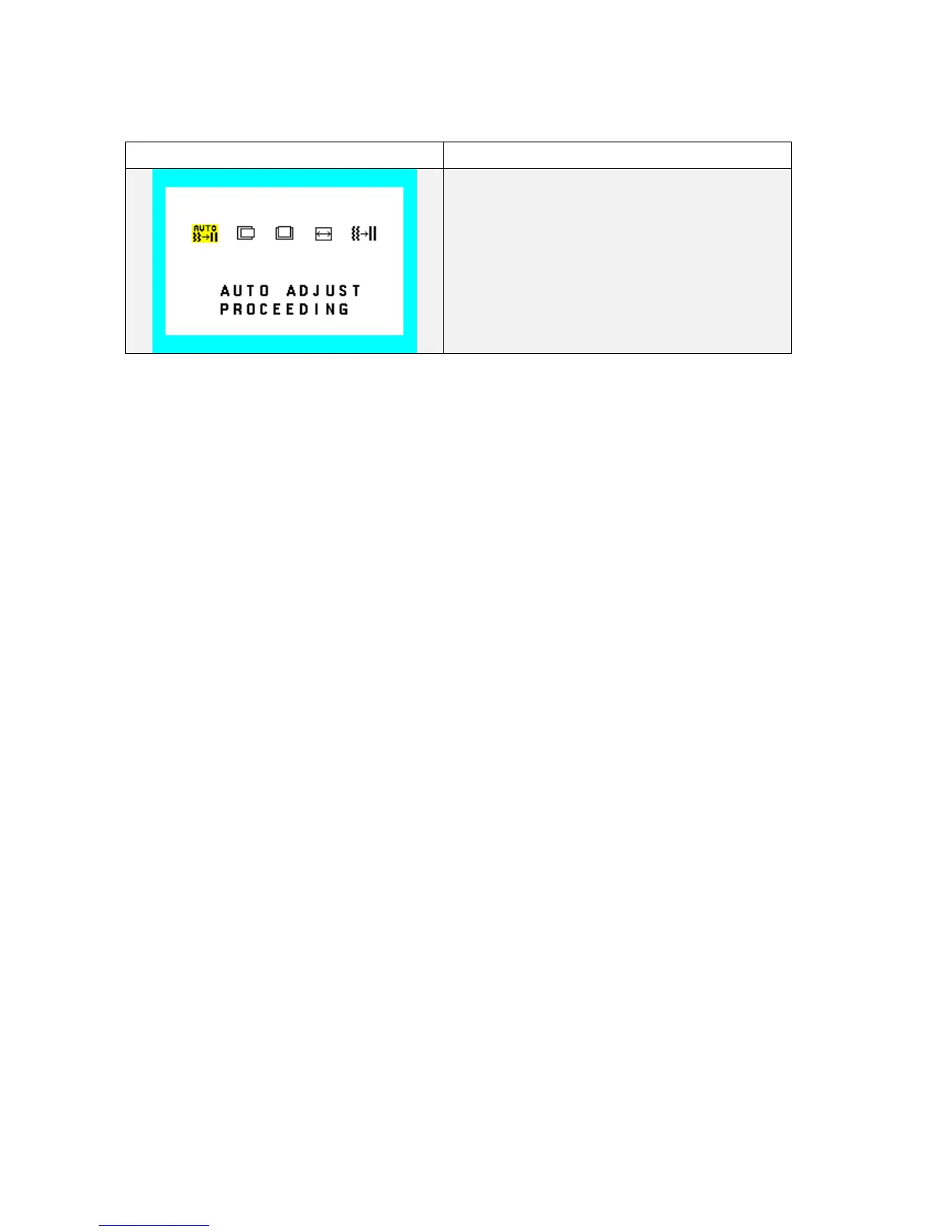
Auto Adjust (Geometry)
Auto Adjust (proceeding)
1. Operate “Auto Adjust” with showing this OSD.
2. This function is adjust the H.POSITION,
V.POSITION, H-SIZE and FINE to the optimal
value automatically.
To call this function, press “AUTO/RESET”
button.
Other Functions
No Touch Auto Adjust
When monitor receive SVGA or higher video modes, Auto Adjust function shall execute automatically only once
for each video modes. After proceeding NTAA function, set the NTAA flag, of that video mode, on. The NTAA
flag shall be clear by only Factory preset in Factory/Service menu.
The character string "PROCEEDING...." shall be blinked during execution of automatic adjustment.
All key inputs, except power key, shall be canceled, during excursion.
NTAA is executed frequency until auto adjustment succeeds.










 To Next Page