Section 4: Telephones and Optional Equipment
4-84 ◆ Section 4: Telephones and Optional Equipment Aspire S Hardware Manual
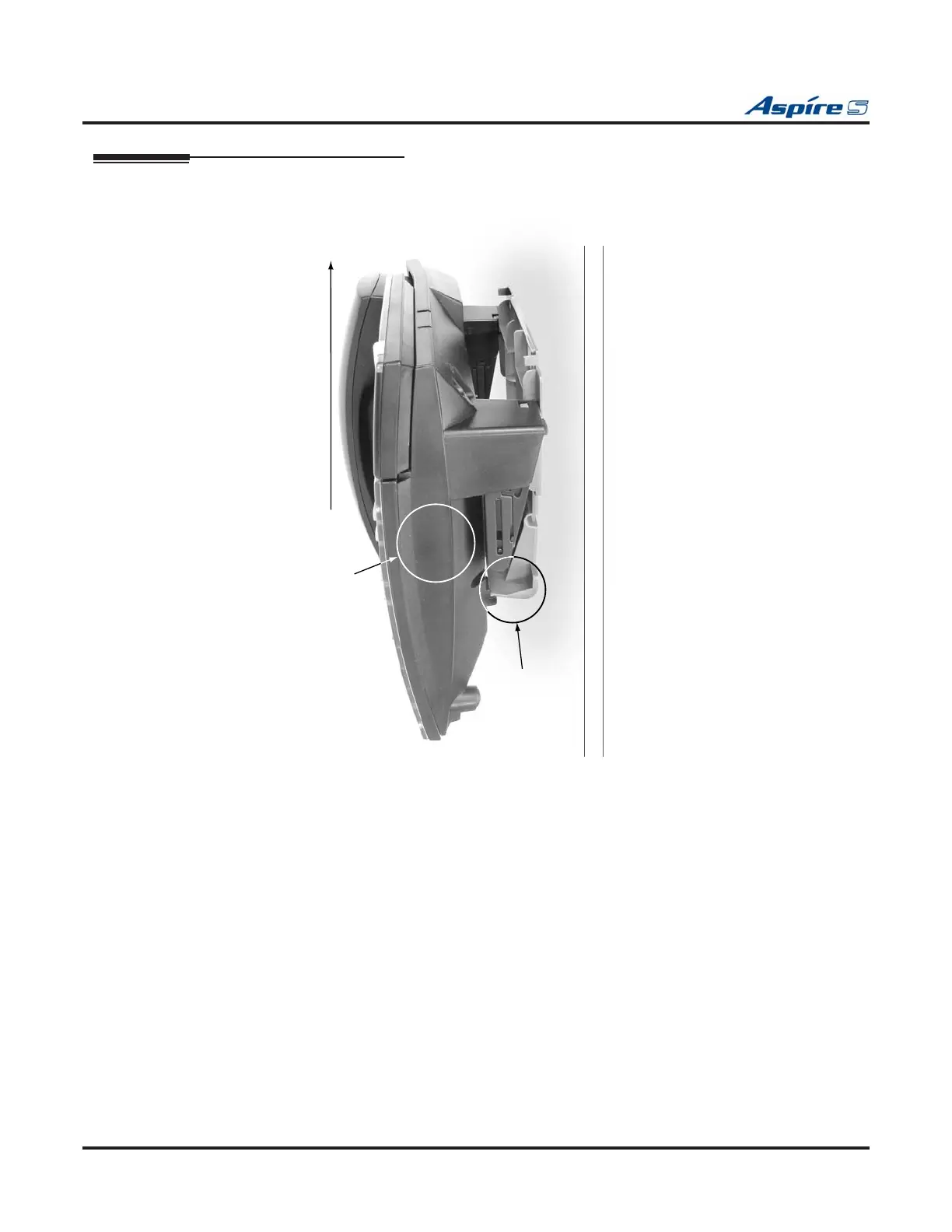
Removing the Phone From a Wall-Mounting Bracket (Figure 4-90 - Figure 4-91)
1. Grip the keyset on both sides in the location shown below by “A”.
Figure 4-90: GRIP THE KEYSET
2. Lift the phone up. The wall-mount bracket will bend slightly (at location “B”).
0893100 - 139
B
A
Push telephone up


 To Next Page