17
ASPECT
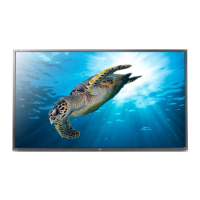
The ASPECT button will select how the video image appears on the
TV’s screen.
There are 4 selections.
16.9 Display a wide screen image.
4.3 Displays a 4:3 square picture with letterbox bands
PANORAMIC
Stretches the picture to increase the size of
Images in the center of the picture.
CINEMA Magnifies the image to fill the screen with a picture.
CINEMA
PANORAMIC
16:9 4:3
Note : For RGB1 VGA and RGB 2 DVI, you can select 4:3 and 16:9
aspect mode.
Note : For HDTV 1080i, 720p and 480p inputs (AV3 / AV4) ,you can
select 4:3 and 16:9 aspect mode.
ZOOM
Each time the ZOOM button of the remote control is
Pressed, the image on the screen will be enlarged.
There are 10 selections, Zoom 0 (=Normal size ) to Zoom 9.
Note:ZOOM is available in 4:3 and 16:9 aspect mode.
ZOOM
ASPECT
OpOp
OpOp
Op
ee
ee
e
rr
rr
r
atat
atat
at
ing Insing Ins
ing Insing Ins
ing Ins
tructruc
tructruc
truc
tt
tt
t
ions ions
ions ions
ions continued
Note: Not all menus are available for every input source.





 To Next Page