4
Main Unit
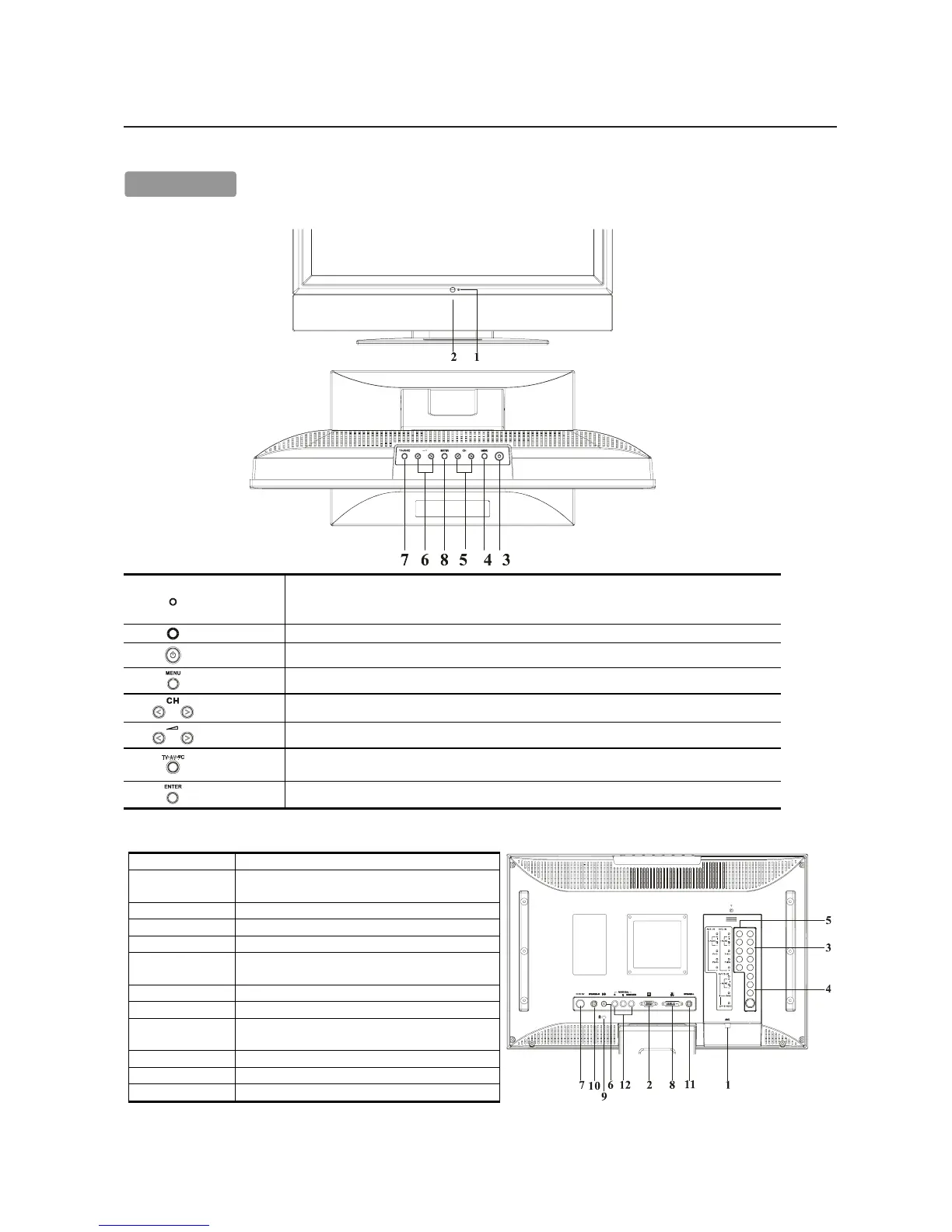
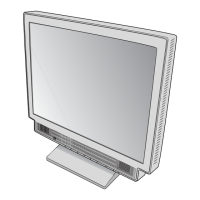
Front view of main body
1
Indicator for
Power
LED lights Green color --- Power is ON.
LED lights Orange --- Monitor is in "Power Saving Mode".
LED is off --- Power is OFF.
2
IR receiver IR receiver.
3
Power Turn on or off the main body.
4
Menu Open or Close the OSD menu.
5
Channel Select the next lower channel / higher channel (TV/AV mode) ; OSD function for selecting (PC mode).
6
Volume Lower / Raise the sound volume (TV/AV mode) ; OSD function for adjusting (PC mode).
7
Source
Selection TV, AV-1(COMPOSITE), AV-2(S-VIDEO), AV3(YCbCr / YPbPr), AV4(YCbCr / YPbPr) ,
RGB1 PC or RGB2 DVI.
8
Enter Enter for adjusting or next page.
Rear view of main body
1 RF in Please connect to antenna or cable TV signal.
2 VGA input
Please use the 15-pin VGA cable in the package
contents.
3 AV3-in For component Video input and audio.
4 AV1/2-in For composite video or S-video input and audio.
5 AV4-in For component Video input and audio.
6 PC Audio in
Please connect the audio from sound card to PC
Audio in.
7 DC in Please connect to your 19V power supply.
8 DVI in Please use the DVI cable for signal input
9
Kensington
Lock hole
It can be locked with Kensington lock.
10 Speaker -R Connect to Right-speaker
11 Speaker -L Connect to Left-speaker
12 Audio out For Audio R/L output & Subwoofer.
CC
CC
C
ompomp
ompomp
omp
oneone
oneone
one
nt Nament Name
nt Nament Name
nt Name
s and Fs and F
s and Fs and F
s and F
uncunc
uncunc
unc
tt
tt
t
ionsions
ionsions
ions





 To Next Page