EasyManua.ls Logo

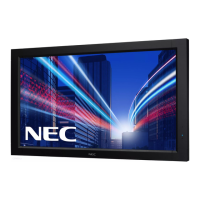
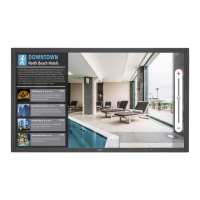
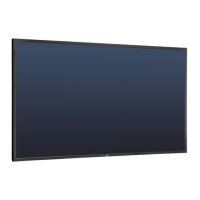
NEC MultiSync V552-DRD - User Manual

NEC MultiSync V552-DRD
47 pages
Print Icon
To Next Page IconTo Next Page
Loading...
MultiSync V552
MultiSync V652
Please fi nd your model name in the label on the backside of monitor.
Large Format Display
User’s Manual

Questions and Answers

  • C
    Carlos LucasAug 19, 2025
    How to fix no picture on NEC MultiSync V552-DRD Monitor?
    • M
      Monica RileyAug 19, 2025
      If your NEC monitor is not displaying a picture, ensure the signal cable is securely connected to both the display card and the computer. Also, confirm the display card is properly seated in its slot. Check that the main power switch on the monitor is in the ON position, as well as the front power switch and the computer power switch. Verify that a supported mode has been selected on the display card or system. Ensure compatibility between the monitor and display card, checking for recommended settings. Lastly, inspect the signal cable connector for any bent or pushed-in pins.
  • J
    jenniferthomasAug 21, 2025
    Why is the LED on my NEC MultiSync V552-DRD Monitor not lit?
    • A
      aaron46Aug 21, 2025
      If the LED on your NEC monitor isn't lit, make sure the power switch is in the ON position and the power cord is properly connected. Check the main power switch on the back of the monitor. Ensure your computer isn't in a power-saving mode by touching the keyboard or mouse. Also, verify that the power indicator option in the OSD (On-Screen Display) is set to ON.
  • A
    Allison KerrAug 23, 2025
    What to do if the power button does not respond on NEC MultiSync V552-DRD Monitor?
    • M
      Megan GrimesAug 23, 2025
      If the power button on your NEC monitor is unresponsive, try unplugging the power cord from the AC outlet to turn off and reset the monitor. Also, check the main power switch on the back of the monitor to ensure it is in the correct position.
  • L
    Lynn BradleyAug 26, 2025
    Why is the image unstable on my NEC monitor?
    • N
      nathaniel18Aug 26, 2025
      If your NEC monitor displays an unstable, unfocused, or swimming image, ensure the signal cable is fully connected to the computer. Use the OSD (On-Screen Display) Image Adjust controls to focus and fine-tune the display. Check the compatibility and recommended signal timings between the monitor and your display card. If the text appears garbled, switch the video mode to non-interlace and use a 60Hz refresh rate.
  • S
    Shannon SchneiderAug 27, 2025
    How to properly size display image on NEC MultiSync V552-DRD Monitor?
    • J
      Joseph KingAug 27, 2025
      If the display image on your NEC monitor isn't sized properly, use the OSD Image Adjust controls to adjust the coarse adjustment. Also, make sure a supported mode has been selected on the display card or system being used.
  • D
    debratateAug 30, 2025
    Why is there no sound on my NEC MultiSync V552-DRD?
    • F
      frank27Aug 30, 2025
      If you are experiencing no sound from your NEC monitor, check that the audio cable is properly connected. Ensure that mute is not activated and the volume is not set to minimum. Verify if your computer supports an audio signal through DisplayPort. Check if SURROUND is ON, and inspect the Internal/External speaker switch.
  • T
    Timothy BrownSep 1, 2025
    What to do if selected resolution is not displayed properly on NEC MultiSync V552-DRD?
    • J
      Johnny MooreSep 1, 2025
      If the selected resolution is not displayed properly on your NEC monitor, use the OSD Display Mode to enter the Information menu and confirm that the appropriate resolution has been selected. If it is not, select the corresponding option.
  • G
    goodwinmatthewSep 3, 2025
    Why is the remote control not available on my NEC MultiSync V552-DRD?
    • S
      Sean MillerSep 3, 2025
      If the remote control for your NEC monitor isn't working, check the batteries' status and ensure they are inserted correctly. Make sure the remote is pointed at the monitor's remote sensor, and check the Remote Control Mode status. The remote control system may not function when direct sunlight or strong illumination strikes the remote control sensor, or if there is an object in the path.
  • R
    ricky58Sep 5, 2025
    Why is the image of component signal greenish on my NEC MultiSync V552-DRD Monitor?
    • S
      Susan JonesSep 5, 2025
      If the image of a component signal on your NEC monitor appears greenish, check to see if the DVD/HD input connector is selected.
  • J
    jquinnSep 7, 2025
    Why is the red LED on my NEC monitor blinking?
    • A
      amy20Sep 7, 2025
      If the RED LED on your NEC monitor is blinking, it means the monitor powered off because the internal temperature exceeded the normal operating range. After confirming the internal temperature has reduced to normal, power the display on again.

NEC MultiSync V552-DRD Specifications

General IconGeneral
BrandNEC
ModelMultiSync V552-DRD
CategoryMonitor
LanguageEnglish

Related product manuals