EasyManua.ls Logo

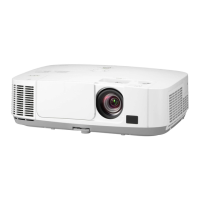
NEC P452H - User Manual

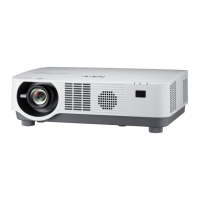
NEC P452H
154 pages
Print Icon
To Next Page IconTo Next Page
Loading...
Projector
P502H/P452H
P502W/P452W
User’s Manual
Model No.
NP-P502H, NP-P452H, NP-P502W, NP-P452W

Table of Contents

Other manuals for NEC P452H

Questions and Answers

  • W
    Wendy ElliottAug 22, 2025
    Why are my NEC P452H Projector 3D images appearing as 2D?
    • B
      Beth WernerAug 22, 2025
      Several factors can cause 3D images to appear as 2D on your NEC Projector. Ensure that the content you are playing is compatible with 3D. Also, verify that the 3D mode is enabled in the projector's menu for the selected source. If you're using LCD shutter eyeglasses, make sure they are switched on and that the batteries are charged. The correct eyeglass method must be selected in the menu. Obstacles between the eyewear's receiver and the 3D emitter should be removed. Bright light sources or other projectors near the viewer can also interfere with the 3D effect. Finally, your computer must meet the requirements for 3D viewing and be set for 3D output.
  • V
    vhunterSep 1, 2025
    How to fix NEC P452H not showing 3D?
    • M
      Michael HallSep 1, 2025
      To resolve your NEC Projector not displaying 3D, consider these solutions: * Ensure you're playing 3D-compatible content. * Activate 3D mode in the projector's menu for the selected source. * Use recommended LCD shutter eyeglasses, ensuring they're switched on and charged. * Select the correct eyeglass method via the menu. * Remove any obstructions between the 3D eyewear's receiver and the emitter. * Adjust your viewing distance and eliminate nearby light sources. * Verify your computer's 3D capabilities and output settings. * Confirm the 3D video content format is supported.
  • R
    Rebecca MillerNov 11, 2025
    What to do if NEC P452H Projector images will not be displayed in 3D?
    • J
      Jason MartinezNov 11, 2025
      If your NEC Projector is not displaying images in 3D, there are a few things you can check. First, confirm that the content you're trying to view is actually in 3D format. Next, access the projector's menu and ensure that 3D mode is turned on for the current source. If you are using LCD shutter eyeglasses, verify that they are powered on and the batteries are not depleted. Also, make sure you're using the recommended LCD shutter eyeglasses and that the correct eyeglass method is selected in the menu. Ensure there are no obstacles between the optical receiver of the 3D eyewear and the 3D emitter. Other potential issues include the viewing distance being too far from the screen, bright light sources interfering with the 3D effect, or the computer not meeting the 3D viewing requirements or be...

NEC P452H Specifications

General IconGeneral
BrandNEC
ModelP452H
CategoryProjector
LanguageEnglish

Related product manuals