EasyManua.ls Logo

NEC PA500U - User Manual

NEC PA500U
235 pages
Print Icon
To Next Page IconTo Next Page
Loading...
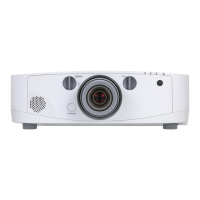
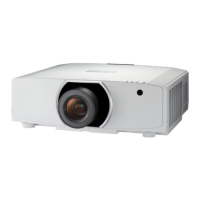
Portable Projector
PA600X/PA500X/
PA550W/PA500U
User’s Manual
Model No.
NP-PA600X/NP-PA500X/NP-PA550W/NP-PA500U

Table of Contents

Other manuals for NEC PA500U

Questions and Answers

  • M
    Mr. Ian GonzalesAug 12, 2025
    How to fix if my NEC Projector does not turn on?
    • L
      lhendersonAug 12, 2025
      If your NEC Projector doesn't turn on, first, make sure the power cord is correctly plugged in and that the power button on both the projector and the remote control is on. Check that the lamp cover is correctly installed. If the projector has overheated due to insufficient ventilation or a warm room, move it to a cooler location. If the lamp has reached the end of its life and you've used the projector for another 100 hours, replace the lamp and reset the lamp hours used. If the lamp fails to light, wait a minute before turning the power on again. When using the projector at altitudes approximately 5500 feet/1600 meters or higher, ensure that [FAN MODE] is set to [HIGH ALTITUDE] to prevent overheating.
  • H
    Henry RogersAug 16, 2025
    What to do if NEC Projector will turn off by itself?
    • J
      Jessica GarciaAug 16, 2025
      If your NEC Projector turns off unexpectedly, make sure that the [OFF TIMER], [AUTO POWER OFF], and [PROGRAM TIMER] settings are disabled.
  • K
    Kristin LongAug 23, 2025
    Why does my NEC PA500U Projector picture suddenly become dark?
    • C
      cjonesAug 23, 2025
      If the picture on your NEC Projector suddenly becomes dark, it might be in Forced ECO mode due to high ambient temperature. To resolve this, lower the internal temperature of the projector by selecting [HIGH] for [FAN MODE].
  • E
    Erica RussellAug 27, 2025
    How to correct a blurred picture on my NEC Projector?
    • L
      Lisa SmithAug 27, 2025
      To correct a blurred picture on your NEC Projector, start by adjusting the focus. Reposition the projector to improve its angle to the screen. Make sure that the distance between the projector and the screen is within the lens's adjustment range. Consider whether the lens has been shifted beyond its guaranteed range. If the projector was cold and brought into a warm place, condensation may have formed on the lens; allow the projector to stand until the condensation clears.
  • C
    Christopher MayAug 30, 2025
    How to fix unusual color tone on NEC Projector?
    • D
      dmasonAug 31, 2025
      To fix an unusual color tone or hue on your NEC Projector, first check if an appropriate color is selected in [WALL COLOR] and choose the correct option. If needed, adjust the [HUE] setting in [PICTURE].
  • K
    Kristy MartinezSep 4, 2025
    How to correct image if it isn’t square to the screen on NEC PA500U?
    • E
      Elizabeth BlanchardSep 4, 2025
      If the image from your NEC Projector isn't square to the screen, try repositioning the projector to improve its angle relative to the screen. If necessary, use the Keystone correction function to correct any trapezoid distortion.
  • C
    Cynthia CarneySep 7, 2025
    Why does flicker appear on the screen of my NEC PA500U Projector?
    • S
      Sandy RobinsonSep 7, 2025
      If flicker appears on the screen of your NEC Projector, and you are using it at altitudes approximately 5500 feet/1600 meters or lower, set [FAN MODE] to other than [HIGH ALTITUDE] mode. Using [HIGH ALTITUDE] at lower altitudes can overcool the lamp. Switch [FAN MODE] to [AUTO].
  • T
    Terry MitchellNov 19, 2025
    What to do if my NEC PA500U Projector has no picture?
    • P
      Paul AndersonNov 19, 2025
      If your NEC Projector displays no picture, start by verifying that the correct input source is selected. If the issue persists, press the SOURCE button or any of the input buttons again. Also, check the cable connections to ensure they are properly connected. Make sure that the lens cover is open. You can also try adjusting the brightness and contrast in the menu. If you have enabled the Security function, enter your registered keyword. If using HDMI or DisplayPort, reinstall or update your graphics card driver. When connecting a notebook PC, ensure the projector is in standby mode before powering on the notebook. If using a remote control, the blank screen might be due to your computer's screen saver or power management settings. As a last resort, reset the settings to factory preset leve...

Summary

Safety Cautions

Precautions

Read manual carefully before using projector for future reference.

RF Interference (for USA only)

WARNING

FCC compliance and potential interference information for USA.

Important Safeguards

Installation

Guidelines for safe projector placement and installation.

Fire and Shock Precautions

1. Introduction

1 What’s in the Box?

Lists all items included with the projector.

 Introduction to the Projector

Overview of the projector and its main features.

2. Projecting an Image (Basic Operation)

 Flow of Projecting an Image

Step-by-step guide to projecting an image onto the screen.

 Selecting a Source

How to choose the input source for the projector.

 Correcting Keystone Distortion

Steps to correct image trapezoidal distortion.

3. Convenient Features

 Changing Eco Mode;Checking Energy-Saving Effect Using Eco Mode [ECO MODE]

Select lamp brightness modes for power saving and CO2 reduction.

 Preventing the Unauthorized Use of the Projector [SECURITY]

Setting up a password to prevent unauthorized operation.

4. Using the Viewer

❸ Projecting images stored in a USB memory device

How to project image and movie files from a USB memory device.

5. Using On-Screen Menu

4 Menu Descriptions & Functions [SOURCE]

Describes the functions of each input source selection.

6 Menu Descriptions & Functions [SETUP]

Details the functions within the SETUP menu.

6. Installation and Connections

 Making Connections

Steps to connect various video and audio sources to the projector.

Connecting to a Wireless LAN (sold separately)

Instructions for connecting to a wireless LAN environment.

7. Maintenance

 Cleaning the Filters

Procedure for cleaning the projector's air filters to prevent overheating.

4 Replacing the Lamp and the Filters

Steps for safely replacing the projector lamp and filters.

8. User Supportware

 Installing Software Program

Guide for installing bundled software on Windows and Mac OS.

9. Appendix

 Compatible Input Signal List

Lists compatible analog RGB, HDMI, DisplayPort, Component, and Composite signals.

7 Troubleshooting Check List

Lists common projector problems and their solutions.

NEC PA500U Specifications

General IconGeneral
Matrix size0.76 \
Native aspect ratio16:9
Projection distance0.74 - 20.9 m
Vertical scan range48 - 120 Hz
Horizontal scan range15 - 108 kHz
Projection technologyLCD
Supported aspect ratios-
Contrast ratio (typical)2000:1
Screen size compatibility25 - 500 \
Projector native resolutionWUXGA (1920x1200)
Keystone correction, vertical-30 - 30 °
Keystone correction, horizontal-40 - 40 °
Projector brightness (economic mode)4000 ANSI lumens
FocusManual
Focal length range24.4 - 32.5 mm
Aperture range (F-F)1.7 - 2.2
Vertical lens shift range-0.1 - 0.5 °
Horizontal lens shift range-0.3 - 0.3 °
Lamp typeAC HID
Lamp power330 W
Light source typeLamp
Lamp power (economic mode)264 W
Service life of light source3000 h
Service life of light source (economic mode)4000 h
3DNo
Full HDYes
Supported video modes1080i, 1080p, 480i, 480p, 576i, 576p, 720p
Analog signal format systemNTSC, NTSC 4.43, PAL, PAL 60, PAL M, PAL N, SECAM
Supported graphics resolutions1024 x 768 (XGA), 1280 x 1024 (SXGA), 1400 x 1050 (SXGA+), 1600 x 1200 (UXGA), 1920 x 1200 (WUXGA), 640 x 480 (VGA), 800 x 600 (SVGA)
BNC input ports5
Composite video in0
Serial interface typeRS-232
USB 2.0 ports quantityUSB 2.0 ports have a data transmission speed of 480 Mbps, and are backwards compatible with USB 1.1 ports. You can connect all kinds of peripheral devices to them.
VGA (D-Sub) ports quantity3
Noise level38 dB
Noise level (economic mode)32 dB
RMS rated power10 W
PlacementDesktop, Ceiling
Product typeLarge venue projector
Product colorWhite
Power sourceAC
AC input voltage100 - 240 V
AC input frequency50 - 60 Hz
Power consumption (standby)16 W
Power consumption (typical)464 W
Power consumption (PowerSave)0.2 W
Power consumption (economy mode)372 W
Storage temperature (T-T)-10 - 50 °C
Operating temperature (T-T)5 - 40 °C
Operating relative humidity (H-H)20 - 80 %
Remote control typeIR
Weight and Dimensions IconWeight and Dimensions
Depth366 mm
Width499 mm
Height164 mm
Weight7800 g

Related product manuals