EasyManua.ls Logo

NEC NP-PA500U - User Manual

NEC NP-PA500U
235 pages
Print Icon
To Next Page IconTo Next Page
Loading...
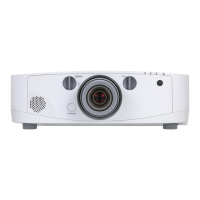
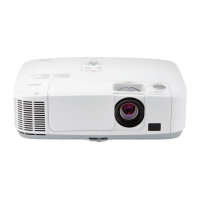
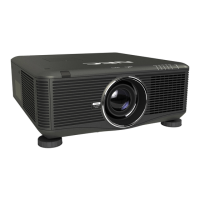
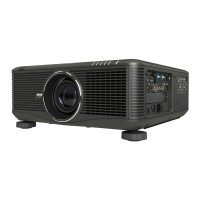
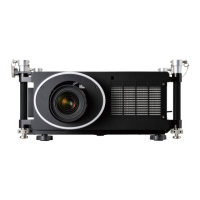
Portable Projector
PA600X/PA500X/
PA550W/PA500U
User’s Manual
Model No.
NP-PA600X/NP-PA500X/NP-PA550W/NP-PA500U

Table of Contents

Other manuals for NEC NP-PA500U

Questions and Answers

  • B
    Bethany QuinnSep 9, 2025
    What does lamp replacement grace period mean on NEC NP-PA500U?
    • P
      Parker LambSep 9, 2025
      If the lamp has reached the end of its service life and is in the replacement grace period, replace the lamp in your NEC Projector as soon as possible.
  • T
    Teresa GrimesAug 23, 2025
    What to do if my NEC NP-PA500U Projector has no picture?
    • M
      mooresarahAug 23, 2025
      If your NEC Projector displays no picture, ensure that the correct input source is selected. If the issue persists, try pressing the SOURCE button or one of the input buttons again.
  • B
    Barry RobertsAug 25, 2025
    Why does my NEC NP-PA500U remote control not work?
    • K
      Kelly MorrisAug 25, 2025
      If the remote control for your NEC Projector isn't working, try installing new batteries.
  • I
    Ian RodgersAug 26, 2025
    What to do if NEC NP-PA500U Projector lamp usage time exceeded?
    • A
      Andre KennedyAug 27, 2025
      If the lamp has exceeded its usage time, you will need to replace it before you can turn the NEC Projector on again.
  • K
    Karla VazquezAug 27, 2025
    Why does my NEC NP-PA500U keep turning off?
    • C
      Christine DavisAug 27, 2025
      If the NEC Projector is turning off unexpectedly, make sure that the [OFF TIMER], [AUTO POWER OFF], or [PROGRAM TIMER] settings are disabled.
  • J
    Juan Jones IIAug 29, 2025
    How to fix NEC Projector image that isn’t square to the screen?
    • J
      joseph18Aug 29, 2025
      If the image from your NEC Projector isn’t square to the screen, reposition the projector to improve its angle relative to the screen.
  • J
    justin32Sep 18, 2025
    What to do if NEC NP-PA500U Projector’s ID number and remote control’s ID number do not match?
    • M
      Mary HansenSep 18, 2025
      If the projector’s ID number and remote control’s ID number do not match, check the control IDs.
  • J
    Jill StewartSep 18, 2025
    How to fix cover problem on NEC NP-PA500U Projector?
    • S
      Sean LamSep 22, 2025
      The lamp cover is not properly mounted. Mount it properly.
  • L
    Lisa LutzSep 8, 2025
    Why is the color tone or hue unusual on my NEC NP-PA500U?
    • O
      omercadoSep 8, 2025
      If the color tone or hue on your NEC Projector is unusual, check if an appropriate color is selected in [WALL COLOR]. If so, select an appropriate option.
  • K
    Kathryn HurleySep 4, 2025
    What to do if NEC NP-PA500U lamp does not light?
    • M
      Michelle SchwartzSep 5, 2025
      If the lamp in your NEC Projector doesn't light, wait at least 1 minute, then turn the power back on. If it still doesn't light, contact an NEC projector customer support center.

NEC NP-PA500U Specifications

General IconGeneral
Brightness5000 ANSI Lumens
Resolution1920 x 1200 (WUXGA)
Contrast Ratio5000:1
Display TechnologyDLP
Zoom1.2x
H-Sync Range15 - 100 kHz
Projection Size30 - 300 inches
ConnectivityHDMI, VGA, USB, LAN, RS-232
V-Sync Range50 Hz - 120 Hz
Noise Level37 dB (Normal mode), 29 dB (ECO mode)

Related product manuals