EasyManua.ls Logo

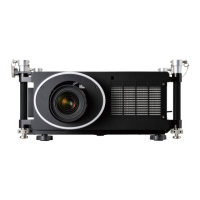
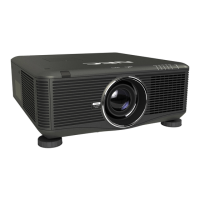
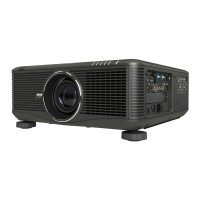
NEC NP-PH1400U - User Manual

NEC NP-PH1400U
255 pages
Print Icon
To Next Page IconTo Next Page
Loading...
Projector
PH1400U
User’s Manual
Model No.
NP-PH1400U

Table of Contents

Other manuals for NEC NP-PH1400U

Questions and Answers

  • R
    Richard PetersAug 6, 2025
    What to do if my NEC NP-PH1400U has no picture?
    • R
      Rebecca ChenAug 6, 2025
      If your NEC Projector displays no picture, there are several things you can check. First, ensure that the correct input source is selected; if not, try pressing the SOURCE button or one of the input buttons again. Verify that all cables are properly connected. Adjust the brightness and contrast settings in the menu. Also, make sure the lens cover is open. If problems persist, reset the settings to factory defaults using the RESET option in the Menu. Finally, if the Security function is enabled, enter your registered keyword.
  • K
    Kimberly RochaAug 10, 2025
    How to stop my NEC NP-PH1400U from turning off by itself?
    • B
      billy11Aug 11, 2025
      To prevent unexpected shutdowns of your NEC Projector, ensure that the OFF TIMER, AUTO POWER OFF, and PROGRAM TIMER features are disabled.
  • S
    Stacy BonillaAug 15, 2025
    Why does the picture on my NEC Projector suddenly become dark?
    • C
      Christina StanleyAug 15, 2025
      If the picture on your NEC Projector suddenly becomes dark, it might be due to a high ambient temperature causing the projector to enter Forced ECO mode. To fix this, try lowering the internal temperature of the projector by selecting HIGH for FAN MODE.
  • T
    Todd WhiteAug 18, 2025
    How to fix no on-screen display on NEC NP-PH1400U?
    • N
      Natalie PetersonAug 19, 2025
      If there is no on-screen display on your NEC Projector, check if the on-screen mute is turned on. To turn it off, either press the ON-SCREEN button on the remote control or hold down the MENU button on the projector cabinet for at least 10 seconds.
  • M
    Mrs. Diane MorrisAug 23, 2025
    What to do if the image isn’t square to the screen on NEC Projector?
    • C
      Connie JonesAug 25, 2025
      If the image from your NEC Projector isn’t square on the screen, try repositioning the projector to improve its angle to the screen.
  • J
    Jessica CarterAug 27, 2025
    Why does my NEC NP-PH1400U Projector remote control not work?
    • C
      Courtney SkinnerAug 28, 2025
      If the remote control for your NEC Projector isn't working, try these steps: First, install new batteries. Ensure there are no obstructions between you and the projector. Also, make sure you are within 22 feet (7 m) of the projector.
  • C
    Christopher IbarraAug 31, 2025
    Why is the color tone or hue unusual on my NEC Projector?
    • E
      Elizabeth YoungSep 1, 2025
      If the color tone or hue on your NEC Projector appears unusual, check the WALL COLOR setting and select an appropriate option.

NEC NP-PH1400U Specifications

General IconGeneral
Resolution1920 x 1200 (WUXGA)
Display TechnologyDLP
LensOptional lenses available
Keystone CorrectionVertical ±30°, Horizontal ±30°
Input TerminalsHDMI, VGA, RS-232

Related product manuals