EasyManua.ls Logo

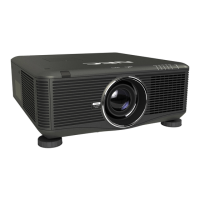
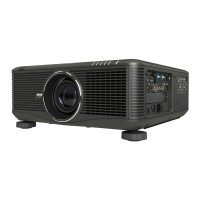
NEC NP-PH3501QL - User Manual

NEC NP-PH3501QL
173 pages
Print Icon
To Next Page IconTo Next Page
Loading...
Projector
PH3501QL/PH2601QL
powered by NP-LV01BD
User’s Manual
Please visit our web site for User’s Manual in the latest version:
http://www.nec-display.com/dl/en/pj_manual/lineup.html
Model No.
NP-PH3501QL, NP-PH2601QL, NP-LV01BD

Table of Contents

Other manuals for NEC NP-PH3501QL

Questions and Answers

  • T
    thomas18Aug 9, 2025
    Why is my NEC NP-PH3501QL Projector not turning on?
    • L
      Lacey PrattAug 10, 2025
      If your NEC projector isn't turning on, several factors could be at play. First, ensure that the projector is receiving AC power. Next, verify that both the projector's power switch and the light power switch are in the ON position. Also, check if the panel key lock function is activated. If the internal temperature is too high, the projector's protective function might prevent it from starting; allow some time for cooling before attempting to turn it on again. Finally, confirm that the administrator key is properly inserted, as the projector requires it to function.
  • J
    Jennifer RhodesAug 15, 2025
    What to do if the NEC NP-PH3501QL Projector image cannot be projected?
    • D
      david35Aug 15, 2025
      If your NEC projector isn't projecting an image, start by checking that the correct input source is selected. Ensure the cable is securely connected to the input terminal. Verify that the [POWER ON SHUTTER] in the on-screen menu is not set to [CLOSE]. Also, make sure that the SHUTTER (lens shutter), the LIGHT SOURCE, or AV MUTE (image off) buttons are not pressed. Confirm that all settings are properly adjusted. If using a computer, reinstall or update the graphics card driver. If you are using HDBaseT transmission device, note that IR and RS232C might be needed in some cases.
  • G
    Gregory CarlsonAug 25, 2025
    Why is the NEC NP-PH3501QL remote control not working?
    • K
      Kimberly OconnorAug 26, 2025
      If the remote control for your NEC projector isn't working, first, install new batteries. Second, ensure there are no obstructions between the remote and the projector. Lastly, make sure you are within the operational range of 42.21 ft (15 m).
  • M
    myoungAug 29, 2025
    Why is the image blurred on my NEC Projector?
    • A
      alyssa36Aug 30, 2025
      If the image on your NEC projector is blurred, ensure that the lens is properly focused. Check that the screen and projector are positioned at the correct angles. The projection distance might exceed the focusing range. Also, verify that the lens hasn't been shifted beyond its guaranteed range and check for condensation on the lens or other parts.
  • J
    james53Sep 4, 2025
    What to do if the video image is disturbed on NEC NP-PH3501QL?
    • K
      Keith ThompsonSep 4, 2025
      If the video image on your NEC projector is disturbed, check whether the signal cable connected to the projector is disconnected.
  • A
    Alejandra WoodsSep 10, 2025
    Why does my NEC NP-PH3501QL Projector turn off by itself?
    • J
      Joseph BarrySep 12, 2025
      If your NEC projector is turning off unexpectedly, make sure that the [OFF TIMER], [AUTO POWER OFF], and [PROGRAM TIMER] settings are disabled.

NEC NP-PH3501QL Specifications

General IconGeneral
Display TechnologyDLP
Light SourceLaser
Lamp Life20, 000 hours
Input ConnectorsHDMI, DisplayPort, VGA, USB
Resolution1920x1200 (WUXGA)
Weight136.7 lbs (62 kg)

Related product manuals