58
Ahighresolutionvideocanbeprojectedonanevenbiggerscreenbycombiningmultipleprojectorsontheleft,right,
top and bottom.
Thisprojectorisequippedwithan“EDGEBLENDINGFunction”thatmakestheedges(boundaries)oftheprojection
screenindistinguishable.
NOTE:
• Forprojectorthrowdistances,referto“Throwdistanceandscreensize”onpage128.
• BeforeperformingtheEdgeBlendingfunction,placetheprojectorinthecorrectpositionsothattheimagebecomessquarein
theappropriatesize,andthenmakeopticaladjustments(lensshift,focus,andzoom).
• Adjustthebrightnessofeachprojectorusing[REF.LIGHTADJUST]under[LIGHTMODE].Inaddition,use[REF.WHITEBALANCE]
toadjustthe[CONTRAST],[BRIGHTNESS]and[UNIFORMITY].
BeforeexplaininguseoftheEdgeBlendingfunction
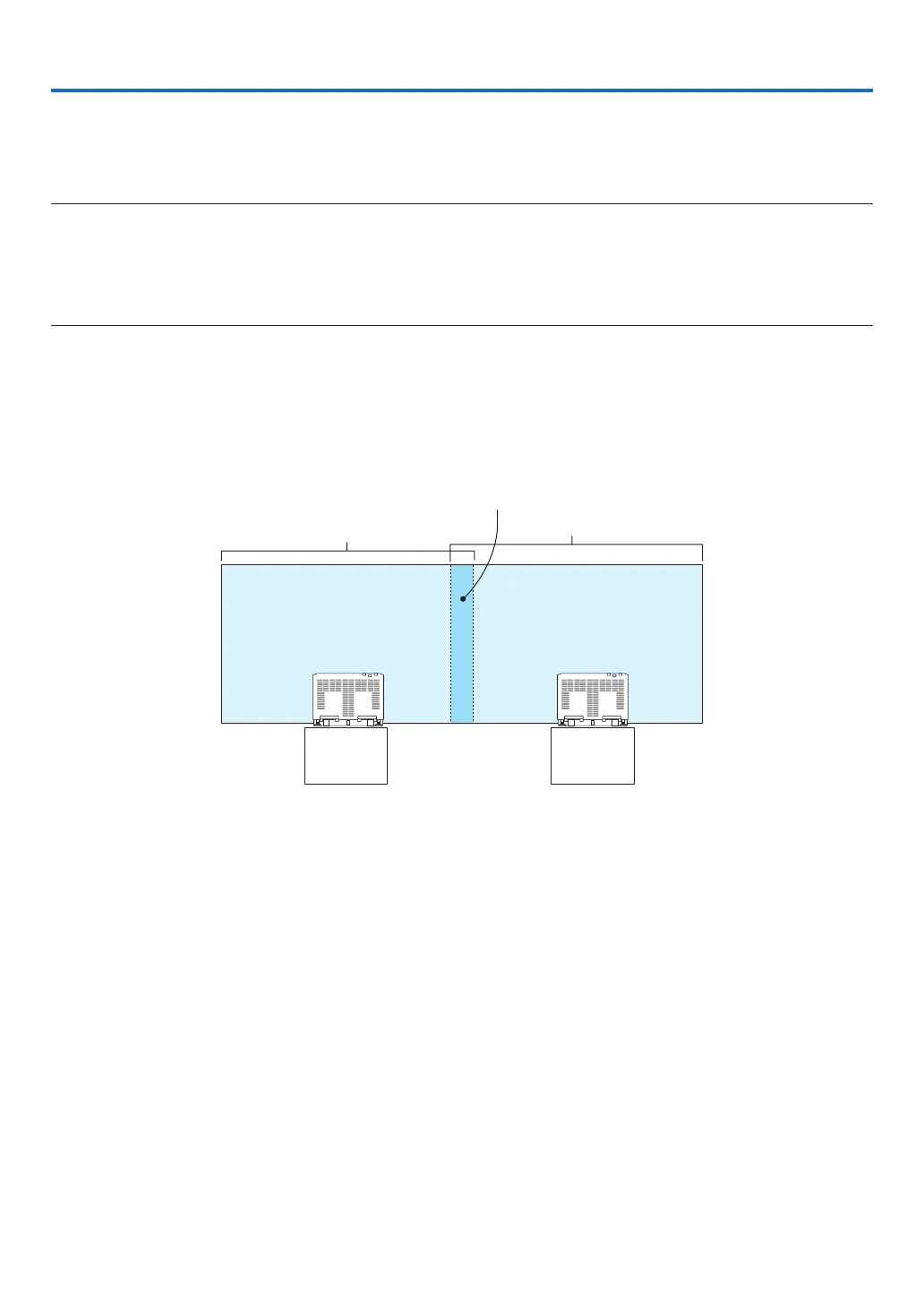
Thissectionexplainsthecasefor“Example:Placingtwoprojectorssidebyside”.Asshown,theprojectedimageon
theleftisreferredtoas“ProjectorA”andtheprojectedimageontherightisreferredto“ProjectorB”.Unlessotherwise
speciedhereinafter,the“projector”isusedtomeanbothAandB.
Example:Placingtwoprojectorssidebyside
Edge Blending area
Projected area
Projected area
Projector A Projector B
4. Multi-Screen Projection



 To Next Page