EasyManua.ls Logo

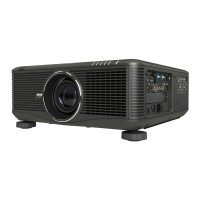
NEC NP-PH1000U - User Manual

NEC NP-PH1000U
244 pages
Print Icon
To Next Page IconTo Next Page
Loading...
Projector
PH1000U
User’s Manual
Model No.
NP-PH1000U

Table of Contents

Other manuals for NEC NP-PH1000U

Questions and Answers

  • A
    Andrew VargasAug 20, 2025
    What to do if NEC Projector lamp does not light?
    • J
      Jeremiah DonovanAug 20, 2025
      If the lamp in your NEC Projector doesn't light, wait for at least 1 minute, then power the projector back on. If the lamp still fails to light, contact an NEC projector customer support center.
  • C
    Chris VelasquezAug 22, 2025
    Why does NEC NP-PH1000U Projector turn off unexpectedly (turn off timers)?
    • C
      chamberskennethAug 22, 2025
      Ensure that the [OFF TIMER], [AUTO POWER OFF] or [PROGRAM TIMER] is off.
  • R
    Ronald HicksAug 25, 2025
    How to fix a blurred picture on NEC Projector?
    • P
      Patrick ColemanAug 25, 2025
      If the picture on your NEC Projector is blurred, try adjusting the focus.
  • A
    Andrew LongAug 26, 2025
    What happens when NEC Projector lamp usage time exceeded?
    • K
      Kimberly HenryAug 26, 2025
      If the lamp in your NEC Projector has exceeded its usage time, the projector's power will not turn on until the lamp is replaced.
  • P
    philliplaneAug 28, 2025
    What to do when NEC NP-PH1000U Projector lamp has reached the end of its life?
    • S
      shelbybarnesAug 28, 2025
      If the lamp in your NEC Projector has reached the end of its life, check if you can continue using the projector for another 100 hours. If so, replace the lamp. After replacement, remember to reset the lamp hours used.
  • M
    Misty JacksonAug 30, 2025
    Why does NEC Projector take time warming up?
    • B
      Brian GlennAug 30, 2025
      If the usage environment temperature is lower than the projector’s operating temperature (0°C), raise the temperature to 0°C or higher before turning on the NEC Projector. If turned on at around 0°C, it may take 5 minutes to warm up, during which the TEMP. indicator will flash. It will go off when warm-up is complete.
  • M
    Malik ThompsonAug 31, 2025
    How to fix NEC NP-PH1000U Projector remote control that does not work?
    • E
      Elizabeth MillerSep 1, 2025
      If the remote control for your NEC Projector isn't working, try installing new batteries.
  • D
    Dawn MartinSep 2, 2025
    How to correct NEC Projector image that isn’t square to the screen?
    • Y
      ybutlerSep 2, 2025
      To correct an image that isn’t square to the screen with your NEC Projector, reposition the projector to improve its angle relative to the screen.
  • B
    Brandon NelsonSep 4, 2025
    What to do if NEC NP-PH1000U Projector has a temperature problem?
    • L
      Lisa ShafferSep 4, 2025
      If your NEC Projector indicates a temperature problem, and the temperature protector has activated, move the projector to a cooler location if the room temperature is high. If the TEMP. indicator continues to flash when operating at normal temperatures, contact an NEC projector customer support center.
  • A
    angie48Sep 6, 2025
    Why does my NEC Projector have an unusual color tone or hue?
    • R
      Robert AyalaSep 6, 2025
      If the color tone or hue on your NEC Projector appears unusual, check if an appropriate color is selected in [WALL COLOR], and if not, select the correct option.

NEC NP-PH1000U Specifications

General IconGeneral
BrandNEC
ModelNP-PH1000U
CategoryProjector
LanguageEnglish

Related product manuals