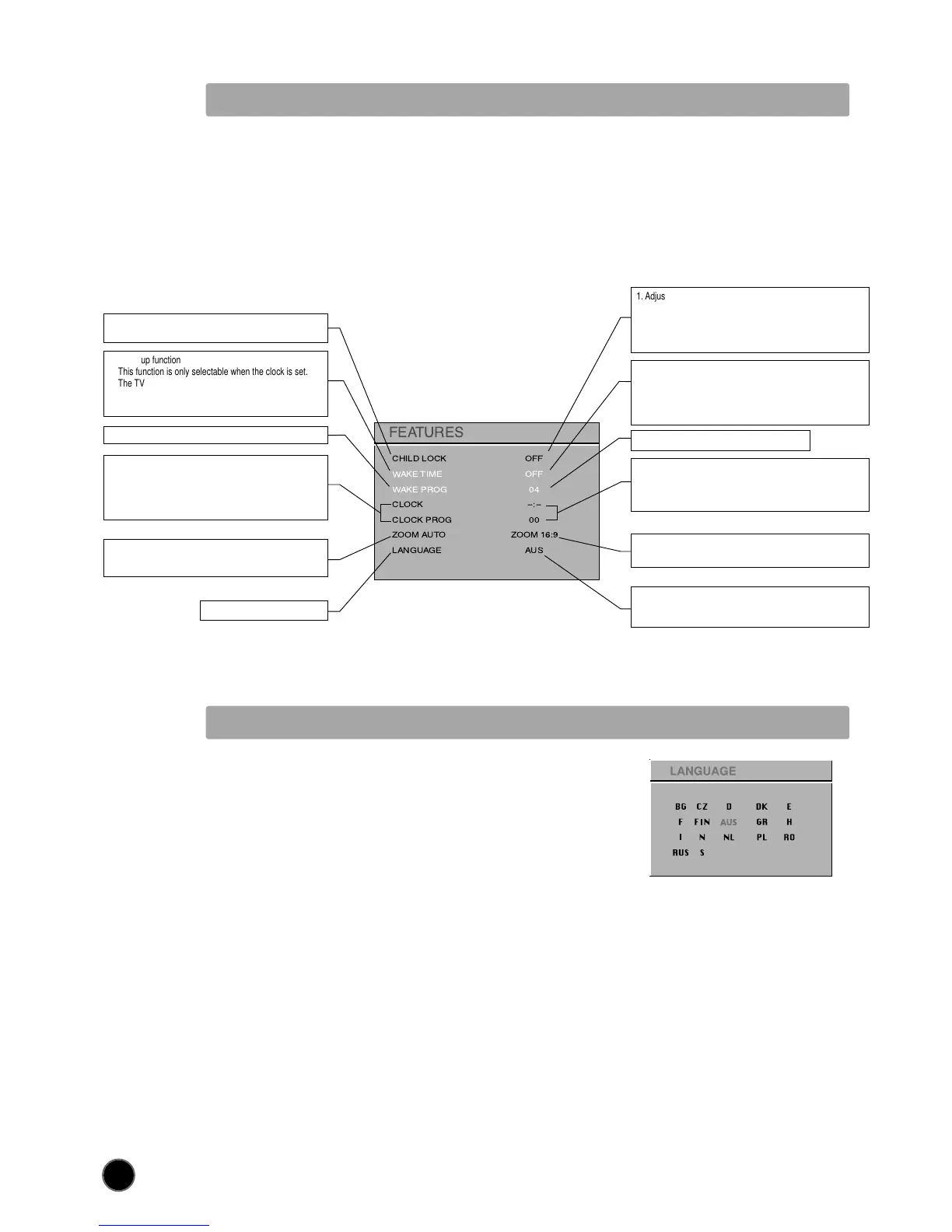
FEATURES
1. Adjust this value ON or OFF.
- In stand-by mode, the stand-by indicator flashes red and
green to indicate the CHILD LOCK is set.
- The front panel TV buttons (B7, B8, B9) become inactive
and the TV will only respond to the remote control.
3. Adjust TV turn-on program number
2. - Switch the WAKE UP function OFF or ’ON’ (the time will be
shown e.g. 07:15) with the remote control CURSOR LEFT
(A7) /RIGHT (A20) buttons
- Enter the wake up time with the remote control 0...9
NUMBER (A3) buttons
1. When switched to ON:
Prevents the use of the TV set without remote control
4. Adjust TV clock. Clock will start at 0 seconds upon entry
of the 4th figure.
The prog. no. which can be used to automatically seize the
time at turn on can be entered here.
4. TV clock setting
This function allows user to enter the time manually.
Note : If you turn off the set with the main power button,
the clock setting is lost. An automatic attempt is made to
set the clock again at power on.
5.
This function is only selectable, when the ZOOM button (A15) at
the remote is selecting AUTO.
5. The selection of this format, will be used as the default of the
TV, when it starts to "ON" condition.
6. The currently selected LANGUAGE is displayed.
Press the OK button (A18) to access the menu and change
the selection.
6. LANGUAGE menu entry.
3. Shared with WAKE TIME.
CHILD LOCK
WAKE TIME
WAKE PROG
CLOCK
CLOCK PROG
ZOOM AUTO
LANGUAGE
OFF
OFF
04
--:--
00
ZOOM 16:9
AUS
2. Wake up function
This function is only selectable when the clock is set.
The TV set turns on from stand-by at the WAKE TIME
with the programme entered on the WAKE PROG. line.
Put the TV set on stand-by with the remote control
See section near the end of section DAILY USE for a more detailed explanation of these functions.
(For operating instructions see page 10, HOW TO USE THE SUB-MENUS)
LANGUAGE MENU
- Select the preferred LANGUAGE by use of the CURSOR LEFT (A7),
RIGHT (A20) buttons, and the CURSOR UP (A6) or DOWN (A21) buttons.
- Press the OK button (A18) to confirm the selection (the choice will be
highlighted in red).
Note : The languages shown are subject to modification without prior notice.



 To Next Page