5
IMPORTANT SAFEGUARDS
INSTALLATION
WATER AND MOISTURE
The apparatus shall not be exposed to dripping or splashing water and no object filled with liquids, such as vases , should be
placed on the apparatus.
HEAT
Never place the set near heat sources.
Never put a naked flame, such as a candle, on the top of TV set.
VENTILATION
Do not cover the ventilation openings in the cabinet and never place the set in a confined space such as in a bookcase
or built-in cabinet unless proper ventilation is provided. Leave a minimum 10 cm gap all around the unit.
OBJECT ENTRY
Do not insert foreign objects, such as needles and coins, in the ventilation openings.
LIGHTNING STRIKE
You should disconnect the set from the mains and the aerial system during thunderstorms.
CLEANING
Unplug the set from the mains while cleaning.
AFTER MOVING THE SET
If the set is moved or turned, the MAIN POWER button must be switched off for at least 15 minutes
in order to take out colour patches on the screen.
The appliance is not intended for use by young children or infirm persons without supervision.
Young children should be supervised to ensure that they do not play with the appliance.
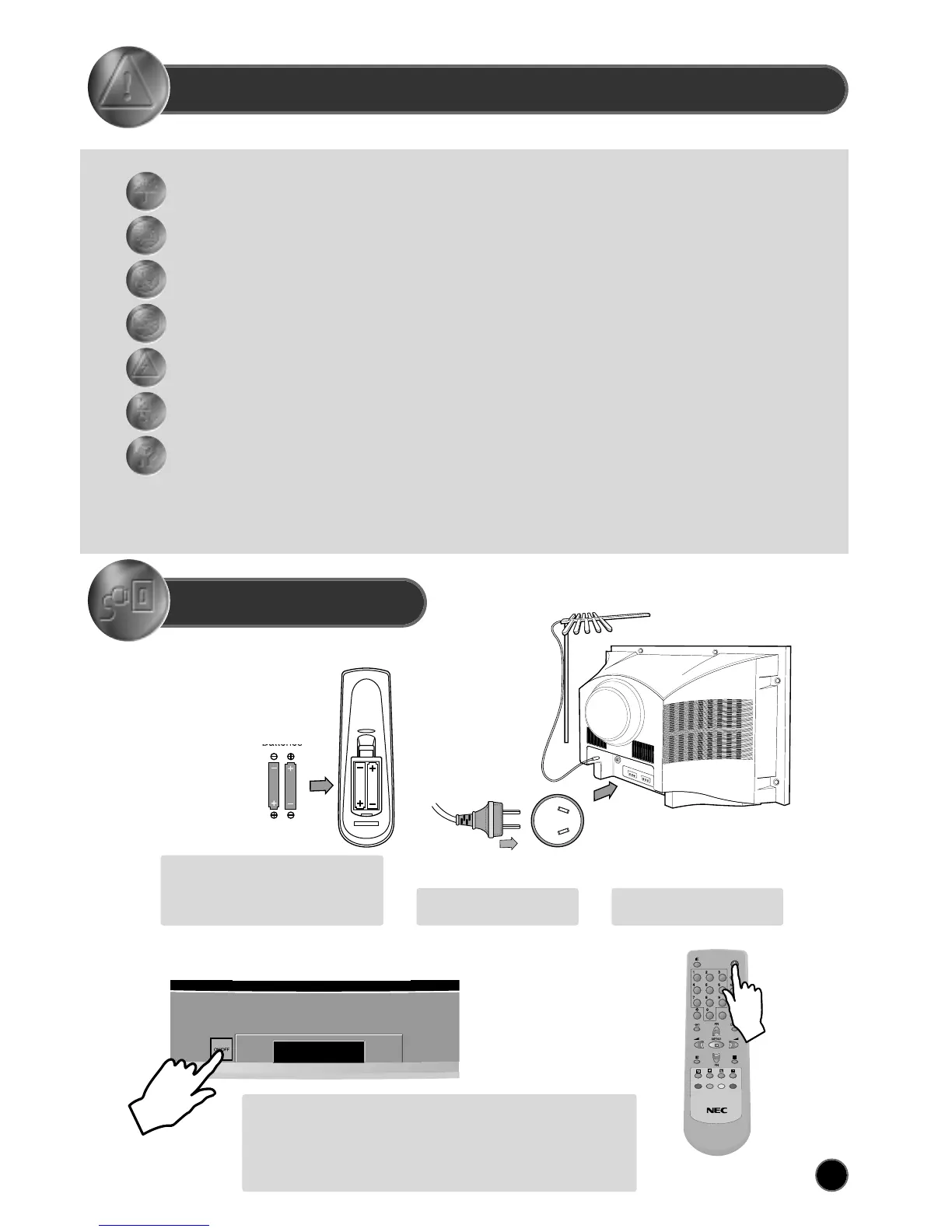
Batteries
Open remote control battery compartment
(at the rear) and insert two 1.5V type AAA
batteries. Warning: be careful to respect
battery polarities.
Power on the TV set using front panel MAIN POWER button (B1).
Select your preferred language from the LANGUAGE menu (see
section START UP on page 6).
Press the remote control MENU button (A19) to enter the main menu.
Select Install menu to tune and memorise TV programs.
Insert the main plug into a
240V 50Hz AC power socket.
Connect aerial to aerial jack (C3).
SWITCHING ON AND OFF



 To Next Page